
Social proof on a Shopify store means showing visitors what other shoppers are already doing: recent orders, how many people are viewing a product, stock running low, and real customer reviews. It replaces “trust us” with evidence. Nudgify is a Shopify app that pulls that evidence from your store’s own orders, sessions, inventory and connected review platform, and shows it as small notifications (we call them Nudges) on the pages you choose. It installs from the Shopify App Store, runs inside Shopify admin, and needs no theme edits.
What social proof looks like on a Shopify store
Social proof is the tendency to copy what other people do when we’re unsure. On a store, it shows up as a handful of specific formats. Five of them do most of the work on Shopify.
Recent order pops
A small notification that says something like “Andrew from London bought this 5 minutes ago.” On Shopify, these pull from the Orders data in your store, so they only exist once you have orders. They work on any page, but convert best on product and collection pages where someone is still deciding.
Live visitor and view counts
“14 people viewed this product in the last 2 hours.” This uses live session data from your storefront, not historical traffic. It’s the format that helps most when you have steady traffic but a low order rate, because views arrive long before sales do.
Low-stock alerts
“Only 3 left in stock.” Shopify tracks inventory per variant, so this one needs inventory tracking switched on for the product in Shopify. It belongs on product pages only, since it refers to the product on the page.
Review and rating displays
Either a single review with the reviewer’s name and stars, or your average rating with the review count behind it. On Shopify the reviews usually live in a separate app (Judge.me, Stamped, Reviews.io) or on Google, so the social proof app needs a connection to that source rather than a place to type reviews in.
Cart-activity nudges
“8 people have this in their cart right now.” Less common than the others and strongest when paired with a low-stock alert, because it turns “others want this” into “others want this and there aren’t many.”
Two formats you’ll also see, which aren’t strictly social proof but sit in the same apps: urgency timers (“order within 3 hours for next-day delivery”) and friction removers (“you’re $12 away from free shipping”). Both work on the same visitor at the same moment, so most stores run them together.
How to add social proof to your Shopify store
You don’t need to touch your theme code. The whole setup happens in the Shopify App Store and then inside the app from Shopify admin. Here’s the path with Nudgify; other apps follow a similar flow.
- Install from the App Store. Open the Nudgify listing on apps.shopify.com and click Install. Shopify shows an “Install app” screen listing the data the app needs and a link to its privacy policy. Click Install again to confirm. The app then appears under Apps in your Shopify admin.
- Pick a page Group. Nudgify organises your store into Groups: Home, Product, Catalog, Cart. Open the Group you want to work on (Product is the usual starting point) and click Nudges.
- Add Nudges from the library. Click Add Nudge and choose from the Nudge Library: Recent Purchase, Popularity (recent views), Add to Cart, Low Stock, Selling Fast, Review, Order Soon, Free Delivery, Discount, or a Custom Nudge with your own text. Nudges already in use are greyed out so you don’t show the same message twice.
- Configure each one. Hover a Nudge, click Edit, and set its rules. For a Recent Purchase Nudge that’s how many orders to rotate (1 to 10), how old an order can be before it’s hidden, and whether to shuffle the order. For a Popularity Nudge it’s the minimum and maximum view count and the time window (up to 4 weeks). Low Stock and Selling Fast configure themselves from your inventory. Click Save and close.
- Switch them on and save. Toggle each Nudge to On, then click the purple Save button at the top right. Repeat for any other Groups. To limit a Nudge to specific URLs, create a Custom Group and enter the paths, using an asterisk as a wildcard.
One thing to know before you start: Nudgify begins collecting orders and visits from the moment it’s installed. It doesn’t import your order history. So a Recent Purchase Nudge on a brand-new install shows nothing until the first new order comes in, and a Popularity Nudge needs a few hours of traffic. If you’re wondering why a Nudge hasn’t appeared yet, that’s the usual reason, and the troubleshooting guide covers the others.
What Nudgify shows on Shopify
Every live Nudge is built from a real data source. Here’s what each one pulls from and what it looks like on the page.
Sales pops from your Shopify orders
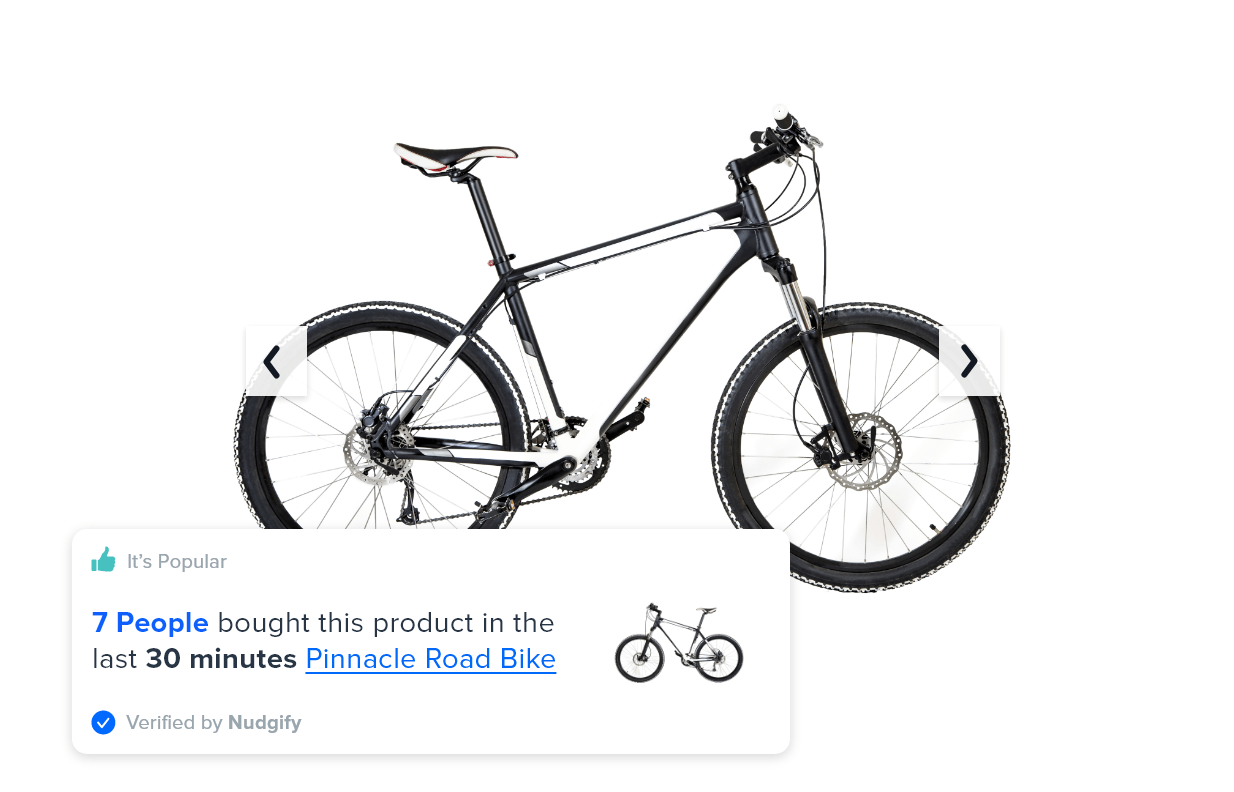
Sales pop notifications read your store’s orders and show the product, the buyer’s first name and location, and how long ago the order was placed. You choose how many recent orders to rotate (up to 10), hide anything older than a cut-off you set (the default is 3 months), and randomise the order so repeat visitors don’t see the same name first. Names come from real orders; there’s no option to invent them. You can watch the orders Nudgify has captured in the Data Feed tab, so you always know what will be shown.
Visitor, view and cart counts from live sessions
The Popularity Nudge counts views of the product on the current page and shows the highest count it can within your time window, for example “47 people viewed this page in the last 10 hours.” The Add to Cart Nudge shows how many shoppers have that product in their cart right now; on non-product pages it switches to whichever product is in the most carts. Both have a minimum threshold, so a product with two views doesn’t announce “2 people viewed this.” Set the minimum to the number you’d be comfortable showing a customer.
Stock and urgency from your inventory
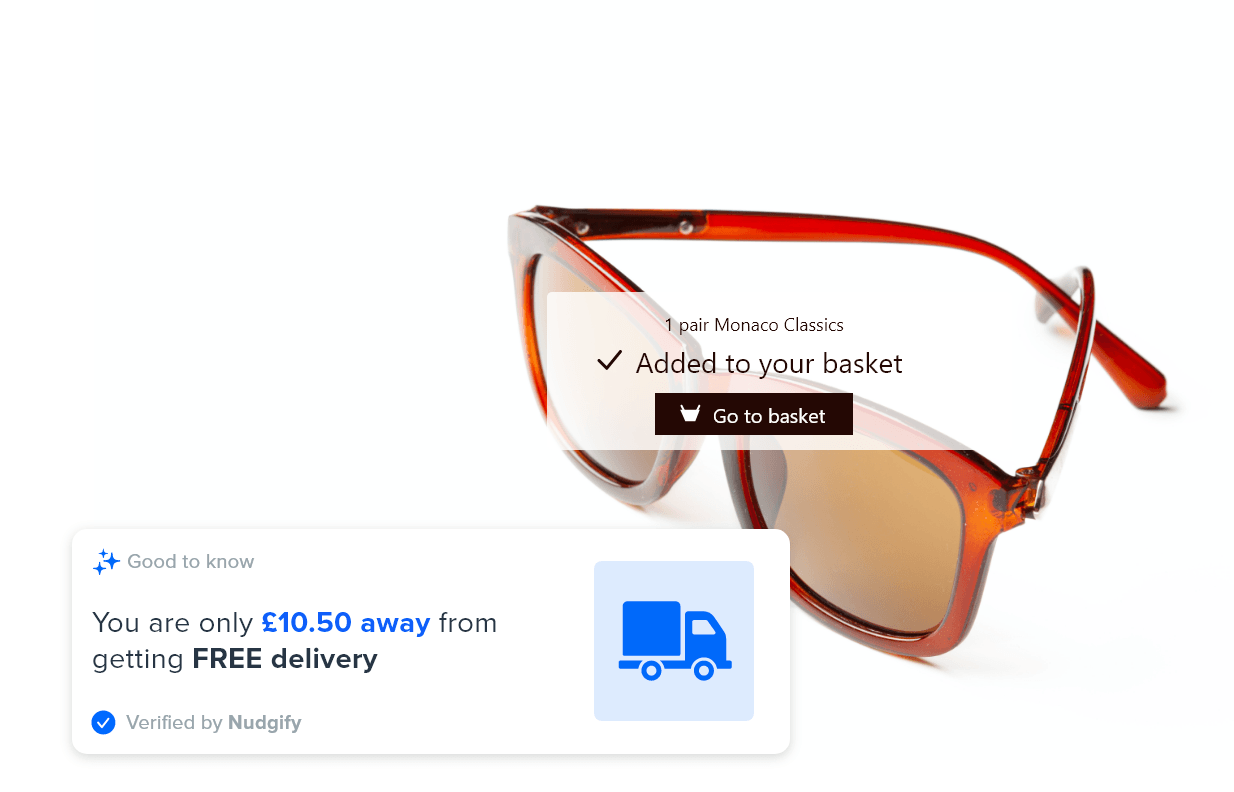
The Low Stock Nudge reads the Shopify inventory quantity of the product on the page and shows “Only 3 left in stock” below five units, “Only 5 left” at five, and a softer “More than 5 in stock” above that (or you can hide it above five). It disappears at zero. Selling Fast uses stock plus recent sales velocity to estimate when a product will sell out, and only shows if that’s within two weeks. Order Soon counts down to your shipping cut-off for a delivery window you set. Free Delivery watches the cart total and shows how far the shopper is from your free-shipping threshold.
Reviews from a connected platform, sign-ups from your email tool
The Review Nudge shows either single reviews (stars, name, text) or your average rating with the review count. It reads from a review platform you connect under Integrations: the Shopify listing names Google Reviews, Judge.me, Reviews.io and Stamped, and the docs cover Trustpilot and Capterra too. You can filter to four and five star reviews only and hide anything older than a date you pick. Recent sign-up Nudges do the same for newsletter subscribers, pulling from Klaviyo or Mailchimp. For anything else, a Custom Nudge lets you write your own message, add an image or link, and put it on any page.
Does social proof actually increase Shopify conversions?
Usually, but how much depends on the store, and anyone quoting a single lift figure for every store is guessing. Here’s what the evidence supports.
The best-documented effect is reviews. Northwestern’s Spiegel Research Center analysed purchase data across product categories and found that a product with five reviews was 270% more likely to be bought than the same product with none. The gain flattens quickly after the first five, and purchase likelihood peaked for ratings between 4.0 and 4.7, not 5.0, because a perfect score reads as too good to be true. Two practical conclusions: get your first five reviews showing on product pages, and don’t filter out every imperfect one.
For sales pops and visitor counts, the published evidence is thinner and mostly vendor-reported, so treat it as directional. What determines whether they help on your store:
- Traffic quality. Social proof reassures someone who is already considering a purchase. It does little for traffic that bounced because the product or price was wrong.
- Real volume. A sales pop that fires every few minutes is reassuring. One that shows a single order from three weeks ago is not. Match the formats to the data you actually have.
- Where you put it. Product and cart pages, where the decision happens, outperform the homepage.
- Where you start from. A store at 1% has more to gain than one at 3%. Check your own number against Shopify conversion rate benchmarks first.
On fake notifications: Shopify merchants search for “fake sales pop” apps, and they exist. Nudgify doesn’t do that. Every order, view, cart and review Nudge is generated from your store’s live data, and you can inspect that data in the Data Feed before it’s shown. Shoppers who recognise a made-up name on a pop-up don’t come back, and your own customers seeing their real first name appear is the moment it clicks for them that the notifications are genuine.
Measure it rather than trust it. The Analytics tab inside the app reports Visits, Notifications shown, Interactions, and Assisted Conversions (orders placed after seeing or clicking a Nudge) over 7, 15 or 30 days, so you can compare a week with Nudges on against your normal rate.
Pricing
Nudgify has a free plan and four paid plans. Prices below are from the Nudgify pricing page and the Shopify App Store listing, billed monthly in USD; yearly billing is about 17% less.
| Plan | Price | Impressions per month | Reviews you can show |
|---|---|---|---|
| Free | $0 | 1,000 | 1 |
| Lite | $9 / month | 10,000 | 3 |
| Plus | $29 / month | 90,000 | 30 |
| Genius | $49 / month | 300,000 | 100 |
| Agency | $89 / month | 1,000,000 | 300 |
An impression is one Nudge shown to one visitor. The free plan includes the live visitor counter, review Nudges and FOMO Nudges, and lets you connect any integration; it shows a small Nudgify label and leaves out some styles and nudge types. For most new stores it’s enough to see whether the notifications move anything before paying. Paid plans come with a 7-day free trial, no credit card needed, and you can cancel from the Billing page in the app at any time.
Frequently asked questions
Does social proof work on a new Shopify store with no sales yet?
Partly. Order-based Nudges need orders, so start with the formats that don’t: a Popularity Nudge once you have some traffic, a Low Stock Nudge if you hold limited inventory, a Review Nudge if you have Google reviews from a previous business or marketplace, and Custom Nudges for things that are true today (“Free shipping over $50”, “Ships from the UK”). Switch the sales pop on after your first handful of orders, and set its minimum so it never fires on thin data.
Do I need to edit my theme?
No. Nudgify installs from the Shopify App Store and runs from Shopify admin. There’s no code snippet to paste and nothing to remove if you uninstall.
What happens when I reach my plan’s impression limit?
Nudges stop showing until the limit resets the following month. There are no overage charges and no automatic upgrades; the app warns you as you approach the limit and you can upgrade whenever you like. Full details are in the docs.
Are the notifications real?
Yes. Nudgify only shows orders, views, cart activity, stock levels and reviews that come from your store or a platform you’ve connected. There’s no setting to generate fake ones.
How do I pay?
Paid plans are billed every 30 days in USD. On Shopify the charge goes through the App Store, so it shows up on your Shopify bill. You can change or cancel the plan from the Billing page inside the app.
What if I get stuck?
There are in-app instructions for each Nudge, chat and email support, and a documentation site with a Shopify guide for every Nudge type and integration.
Add social proof to your Shopify store
Install Nudgify from the Shopify App Store, pick the Nudges that match the data you already have, and give it a week of real traffic before judging it. The free plan covers a new store’s first 1,000 impressions, and the trial covers everything else. If you’d rather look at the alternatives first, we also compare social proof apps for Shopify.

