
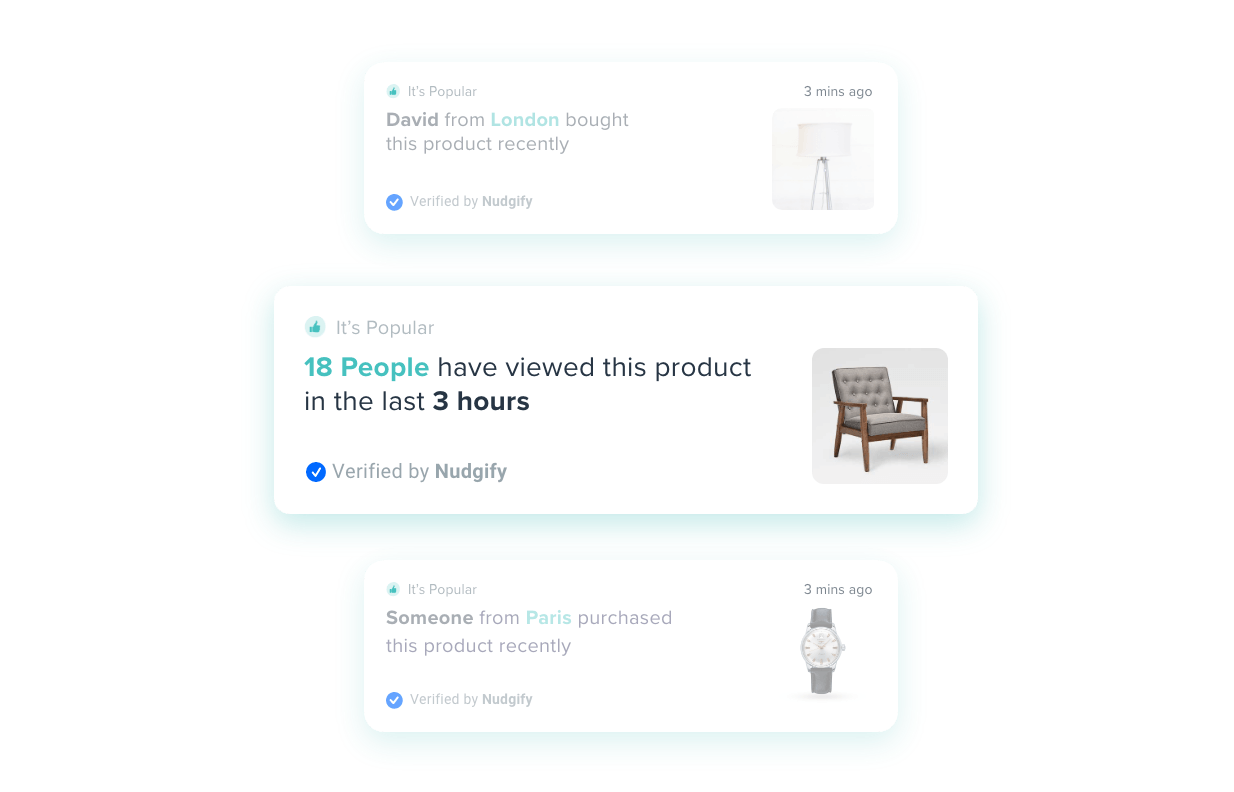
Social proof software shows your visitors what other people are doing on your site: recent orders, sign-ups, live visitor counts and reviews, displayed as small notifications on the page. Nudgify is social proof software that runs on any website. It takes real data from your store, forms, payment provider or review platform and turns it into notifications (we call them Nudges) that appear while people browse.
It works with WordPress, WooCommerce, Webflow, Wix, Squarespace, BigCommerce, Magento and Shopify, or any site where you can paste one script tag into the head.
What social proof software does
People copy what other people do when they aren’t sure what to do themselves. That’s social proof, and it’s the reason a busy restaurant gets busier. Social proof software puts evidence of other people’s behaviour where a visitor can see it, at the moment they’re deciding whether to trust you.
Most tools cover four kinds of notification.
Recent sales and sign-ups
A small message that says someone in Manchester bought a product 12 minutes ago, or that someone just joined your newsletter. The data comes from your orders or form submissions. This is the format most people picture when they think of social proof software, and it’s usually the one that moves conversion rate most on product and checkout pages.
Live visitor counts
“14 people are looking at this right now.” The software counts page views in real time and shows the number. It works best on pages where a visitor might wonder if anyone else is interested: a product with no reviews yet, an event, a course launch.
Reviews and ratings
Instead of a review widget buried at the bottom of the page, the software pulls your latest reviews from Google, Trustpilot or similar and shows one at a time as a notification. The visitor sees a real name, a star rating and a line of text without scrolling for it.
Low stock and urgency
“Only 3 left” or “Selling fast” messages driven by your actual inventory. These are FOMO notifications rather than social proof in the strict sense, but most social proof software includes them because they come from the same data feed and sit in the same place on the page.
Works with your stack
You don’t need to be on Shopify to use social proof software. Nudgify installs in one of three ways: a native app or plugin, a pixel you paste once, or a tag manager. Here’s the path for each platform family.
- WordPress: install the Nudgify plugin from WordPress.org, paste your Site Key, done. No code. WordPress install guide.
- WooCommerce: same plugin, plus an API Key that connects your orders and stock levels so Low Stock and Free Delivery Nudges work. WooCommerce guide.
- Webflow: paste the pixel into Site Settings, Custom Code, head section, then publish. Webflow form submissions can be connected as sign-ups. Webflow guide.
- Squarespace: Settings, Advanced, Code Injection, paste into the Header field. Squarespace guide.
- Wix: add Nudgify from the Wix App Market. It installs the pixel and connects your orders, Wix Forms and stock levels automatically. Wix guide.
- BigCommerce: add it from the BigCommerce Marketplace. Pixel, orders, stock and cart value are connected on install. BigCommerce guide.
- Magento 2 (Adobe Commerce): install the Nudgify extension, paste your keys under Stores, Configuration, and turn on automatic order sync. Magento 2 guide.
- Shopify: a separate Shopify app that lives inside Shopify admin and connects orders, stock and cart data without a pixel. If Shopify is your platform, read social proof for Shopify instead, it covers the Shopify-specific setup.
- Custom site, Laravel, Joomla, anything else: paste one script tag before the closing head tag, or add it as a Custom HTML tag in Google Tag Manager. Install on any website.
The platform only decides how the pixel gets on the page. The notifications themselves need data, and that can come from somewhere else entirely. Nudgify connects to Stripe for sales and subscriptions, Mailchimp and ActiveCampaign for sign-ups, and Google Places, Trustpilot, Capterra, Yelp and Facebook for reviews. Form AutoCapture picks up submissions from any form on the page with no integration at all. For anything not on the list there’s Zapier, Smart Webhooks and a REST API. The full list is on the integrations page.
SaaS companies tend to combine Stripe subscriptions with sign-up notifications on a pricing page. There’s a separate guide to social proof for SaaS products if that’s you.
How to choose social proof software
Most tools in this category look alike in a screenshot. These six questions are where they differ.
1. Real data or made-up notifications?
Some tools let you type in fake names and fake orders. Don’t. Visitors can tell, and review sites will say so. Ask where each notification type gets its data. If the answer is “you enter it”, that isn’t social proof, it’s a lie with a timestamp. Nudgify only shows what your connected data source reports.
2. What does it do to page speed?
Every tool here adds a script. The question is how big it is and whether it blocks rendering. Test before and after with PageSpeed Insights on a real product page, not the homepage. If the script loads a whole widget library to show one line of text, that’s a cost you’ll pay on every page view.
3. Does it cover your whole stack?
Check three things: can it get on the page (plugin, app, or pixel), can it read your orders, and can it read your reviews. A tool that installs anywhere but only reads Shopify orders is a Shopify tool. If you run a WordPress site with Stripe checkout and Google reviews, you need all three connections to be native, not routed through Zapier.
4. GDPR and consent
A notification that says “Sarah from Berlin just bought” is personal data. Ask how the tool handles names, locations and emails, whether IPs are stored, and whether you can delete a record on request. Nudgify anonymises emails and encrypts IPs, and has a Data Feed page where you can delete individual sign-ups, purchases and reviews. Details are in the GDPR page.
5. How much can you change?
Colour, icon, position, timing, which pages, which devices, and the text itself. The last one matters most. A notification that reads like a template on a landing page you spent a week on will look bolted on. Look for URL-level display rules too, so you can run different notifications on social proof on landing pages than on your blog.
6. How is it priced?
Most tools charge by unique visitors or impressions per month, with notification types or branding removal gated by tier. Check what happens when you hit the limit. Some tools stop showing notifications, which is fine. Some auto-upgrade you, which isn’t. Check for a free plan or trial that includes the integration you need, so you can test with your own data before paying.
Nudgify’s social proof notifications
Each Nudge type has a named data source. Nothing is typed in by hand unless you choose the Custom Nudge.
- Recent Purchases: your orders, pulled from WooCommerce, Wix, BigCommerce, Magento 2, PrestaShop, Shopify or Stripe, or sent in by Zapier, webhook or API. Shows product, location and time. You choose how much location detail to display. These are the sales pop notifications most people start with.
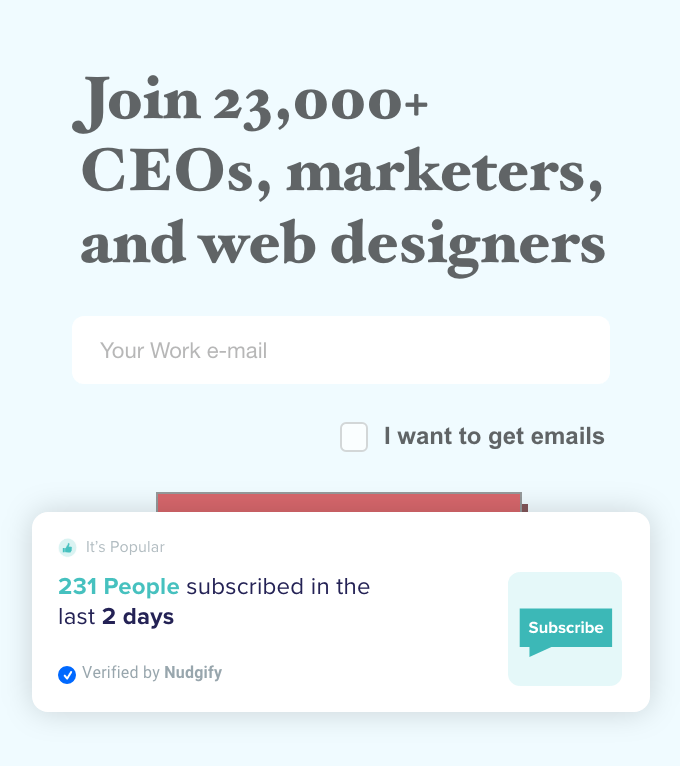
- Recent Sign-ups: form submissions via Form AutoCapture, or new contacts from Mailchimp, ActiveCampaign, Webflow and Wix Forms.
- Popularity: live page views and recent visitor counts, tracked by the pixel. No integration needed.
- Review and Rating Nudges: individual reviews or an average rating, from Google Places, Trustpilot, Capterra, Yelp, Facebook and others.
- Low Stock and Selling Fast: live inventory from your store connection. Selling Fast uses your stock history to estimate when an item will run out.
- Order Soon and Free Delivery: triggered by the visitor’s current cart value, so you can show “add $12 more for free delivery” at the right moment.
- Custom Nudge: your own text, image and link, for announcements, upsells or anything the data types don’t cover. Can include JavaScript variables from the page.
Every Nudge can be limited to specific URLs or page types, shown on desktop or mobile only, given a delay and duration, looped, or made closable. Nudges display in 32 languages. You can set a goal URL (usually the thank-you page) and the analytics dashboard reports impressions, engagements and assisted conversions per Nudge.
Pricing
Nudgify has a free plan, capped at 1,000 unique impressions a month, that includes every integration so you can connect your real data before paying anything. Paid plans are $9, $29 and $49 a month, and every plan allows unlimited websites and unlimited Nudges. There’s a 7-day free trial of the full feature set with no credit card. Plans, limits and the feature comparison are on the pricing page. The Shopify app is priced separately through the Shopify App Store and also has a free plan.
FAQ
Does social proof software slow down my site?
It adds one script, so it adds some load time. How much depends on the tool. The Nudgify pixel is a single small script tag in the head. Test your own site with PageSpeed Insights before and after installing any tool in this category, on a page that matters, and keep the result.
Does it work if I don’t use Shopify?
Yes. Nudgify isn’t a Shopify-only tool. WordPress, WooCommerce, Wix, BigCommerce, Magento 2 and PrestaShop have native integrations that connect orders and stock. Webflow and Squarespace install the pixel through their custom code settings, and the docs have step-by-step guides for Leadpages, Kajabi, Teachable and dozens of other builders. Anything else takes one script tag.
Are the notifications real or fake?
Real. Every Nudgify notification type is driven by a connected data source: your orders, your forms, your page views, your reviews, your stock. There’s no option to invent orders or names. The only Nudge you write yourself is the Custom Nudge, and it’s a message, not a fake event.
Do I need a developer to install it?
No. On WordPress, Wix, BigCommerce and Shopify it’s a plugin or app install with no code. On Webflow, Squarespace and most builders you paste one line into a custom code box. If you’d rather not touch code at all, support can install the pixel for you through live chat.
Start with your own data
Connect your store or forms, pick a Nudge, and see it on your site in a few minutes. The free plan has every integration, so you can test with real orders before you decide. Create a free Nudgify account, or add it from the Shopify App Store if you’re on Shopify.

