
 All posts
Three things move revenue on a Shopify store: more visitors who buy, more spent per order, and more customers who come back. Every app on this list pulls one of those levers.
How the apps were chosen. Each one had to be live on the Shopify App Store on 16 October 2026 with a published pricing page, do one job tied to one of the three levers, and offer a free plan or a free trial so you can test it before paying. The six groups are ordered by how early in a store’s life they pay off. Inside each group the apps are alphabetical, because ranking three apps that do the same job on one scale would be false precision.
One disclosure: Nudgify is our own app. It appears once, in the social proof group, and it isn’t first there.
Boost Your Conversion Instantly with Nudgify: Turn your website visitors into customers with real-time Social Proof and FOMO Nudges. Get Started Now →
Every price and free-plan detail was read from the app’s Shopify App Store listing on 16 October 2026, and each entry links to that listing. Prices change.
Not sure whether your store has a traffic problem or a conversion problem? Read our Shopify conversion rate benchmarks first.
How to pick apps without slowing your store down
Every Shopify app that shows something on your storefront adds JavaScript to the pages it touches. Shopify’s own theme performance guide lists removing render-blocking app scripts as a high-impact fix for load time, and names app-injected content as a common cause of layout shift. Three rules follow from that.
Count storefront apps, not apps. There’s no official limit on how many apps a store can run, and admin-only apps (accounting, shipping labels, inventory) cost your shoppers nothing. The ones that matter render on product, collection, cart or checkout pages. In our experience a store running more than ten of those almost always has two doing overlapping jobs.
Measure before and after. Run your busiest product page through PageSpeed Insights before you install an app and again a day later. Watch Largest Contentful Paint, Interaction to Next Paint and Cumulative Layout Shift. These are the Core Web Vitals, which Google uses as a ranking signal. Shopify’s guidance is blunt: audit all scripts, including apps and tracking pixels, and remove anything that isn’t earning its performance cost (source).
Increase Trust & Sales with Social Proof
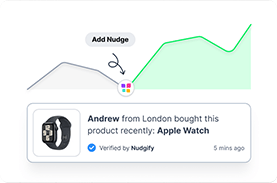
Boost trust, engagement, and conversions with Social Proof — tailored for any industry and easy to integrate. Seamlessly manage client access with our team portal.

Remove before you add. If a new app replaces a feature another app does, uninstall the old one first, then search your theme code for the old app’s name. Older apps that edited theme files directly can leave scripts behind, and those keep loading for every visitor.
Install one app at a time and give it two to four weeks.
Email and SMS apps
Email and SMS are the only channels here you own outright. For most stores they produce the cheapest repeat orders available, and the abandoned cart flow alone usually pays for the app. You need one of these three, not two.
1. Klaviyo
Klaviyo pulls your Shopify customer, order and browsing data into one profile and sends email, SMS and WhatsApp from it. New stores get a guided setup with a sign-up form, welcome email and abandoned checkout flow.
Who it suits: stores that expect to pass a few thousand contacts and want segmentation and flows that get sharper as data piles up.
Limitation: paid tiers scale with contact count, so a big list of people who never buy costs you every month.
Pricing: free to install, with email free for up to 250 contacts and 150 free SMS credits. Paid email starts at $20/month for 251 to 500 contacts, SMS at $15/month. Klaviyo on the Shopify App Store.
2. Omnisend
Omnisend does email, SMS, web push, popups and forms in one app, with pre-built abandoned cart and welcome automations.
Who it suits: small stores that want email and SMS working this week without learning a platform.
Limitation: advanced reporting and the product recommender sit on Pro, so outgrowing Standard means a jump from $16 to $59.
Pricing: free plan for up to 250 contacts and 500 emails a month. Standard is $16/month for up to 500 contacts, Pro $59/month for up to 2,500, both rising with list size. SMS is an add-on from $0.007 per message on Pro. Omnisend on the Shopify App Store.
3. Postscript
Postscript is SMS only: a dedicated toll-free number, opt-in tools, campaigns, automations and two-way conversations, all built on your Shopify data.
Who it suits: stores already running email well that want a serious SMS channel rather than an add-on.
Limitation: no free tier to run on. Starter is free to install but carries a $49 monthly minimum.
Pricing: Starter is free to install with a $49 monthly minimum and $0.009 per SMS. Growth is $100/month and Professional $500/month, both with a 30-day free trial and a $100 credit in the first 30 days. Postscript on the Shopify App Store.
Review and rating apps
Reviews are the first thing a new visitor looks for on a product page and the first thing missing on a new store. A review app asks buyers for a review after delivery and shows the result where the next buyer will see it. Photo and video reviews matter more than star counts. All three start free.
4. Judge.me
Judge.me collects product and store reviews, including photos and videos, and displays them with widgets, carousels and a star badge.
Who it suits: almost any store, especially one that wants unlimited reviews without paying for them.
Limitation: the free widgets look like Judge.me widgets. Matching them to your theme, AI replies and most integrations need the paid plan.
Pricing: the Forever Free plan includes unlimited product reviews and unlimited photo and video reviews. Awesome is $15/month with a 15-day free trial. Judge.me on the Shopify App Store.
5. Loox
Loox is built around visual reviews. It offers a discount for photo reviews and turns them into social posts and stories.
Who it suits: fashion, beauty, home and anything else where a customer photo sells the product better than the listing does.
Limitation: pricing is by order volume. The free plan caps at 500 orders and Convert charges $50 for each extra 300 orders.
Pricing: free Beginner plan up to 500 orders. Convert is $49.99/month with 300 orders included, then $50 per additional 300. Unlimited is $299.99/month. Paid plans have a 14-day free trial. Loox on the Shopify App Store.
6. Yotpo Product Reviews
Yotpo collects reviews automatically after purchase and displays them on-site, with Google rich snippets and Google Shopping ad integration from Starter and a Google Seller Rating on Pro.
Who it suits: stores running Google Shopping ads that want their review stars in those ads.
Limitation: the free plan stops at 50 orders a month, which a growing store passes fast, and paid prices move with order volume rather than staying flat.
Pricing: free plan for up to 50 monthly orders. Starter is $15/month and Pro $119/month, both scaling with orders. Yotpo on the Shopify App Store.
Upsell, cross-sell and bundle apps
Once a visitor has decided to buy, the cheapest extra revenue in your store is making that order bigger. Three mechanics work: a bundle or volume discount on the product page, an add-on offer in the cart, and a one-click offer after payment. The post-purchase offer is the one most stores miss and the lowest risk, because the original order is already done when it appears.
7. Bundler
Bundler sets up fixed bundles, mix-and-match bundles, quantity breaks and buy-X-get-Y offers, and auto-applies the discount in the cart.
Who it suits: stores selling consumables or anything bought in multiples, where “buy three, save 10%” is the natural offer.
Limitation: mix-and-match, free shipping conditions and funnel upsells are paid, and the bundle analytics you’ll want to judge results are only on the top tier.
Pricing: free plan with unlimited revenue and orders, including volume discounts and buy-X-get-Y. Premium is $9.99/month and Executive $19.99/month, with a 7-day free trial. Bundler on the Shopify App Store.
8. Essential Upsell & Cross Sell
Essential adds “frequently bought together” and add-on offers to product pages, cart page offers on the higher plans, and post-purchase offers after payment.
Who it suits: stores with products that naturally go together (a case with a phone, a filter with a machine) that want the offer on the product page itself.
Limitation: plans are capped by the extra revenue the app generates, so the free tier stops after $100 of upsells, and cart page offers only start at $19.99.
Pricing: free plan up to $100 of additional revenue. Starter is $9.99/month (up to $500), Essential $19.99/month (up to $1,000, adds cart offers) and Professional $39.99/month (unlimited), each with a 14-day free trial. Essential Upsell on the Shopify App Store.
9. Zipify OneClickUpsell
OneClickUpsell (OCU) covers the whole path: a product page offer widget, pre-purchase and cart drawer offers, one-click post-purchase upsells, thank-you page offers, and in-checkout offers on Shopify Plus.
Who it suits: stores with steady daily orders that currently show a plain “thanks for your order” page.
Limitation: the free plan is for development stores only. On a live store you pay from day one after the trial, and the price steps up with the upsell revenue it generates.
Pricing: $9.95/month while you earn up to $200 a month in upsell revenue, $25 to $99/month from $200 to $2,500, then $149/month and up, never past $999. All tiers have a 30-day free trial. Zipify OCU on the Shopify App Store.
Social proof and urgency apps
A new visitor has no reason to trust you. Social proof is the evidence that other people already do: recent orders, live visitor counts, reviews and low-stock notices, shown where the visitor is deciding. Urgency apps add a time or stock limit. Both work only when they’re true. A fake “23 people bought this today” costs the trust it was meant to build, and the apps below all pull from your real store data. To compare more of these side by side, see our list of sales notification apps for Shopify.
10. Fomo
Fomo shows recent-sale popups, product and Google review notifications, add-to-cart and abandoned-cart popups, with multi-language and geo-location support.
Who it suits: stores that run several websites, since Business and up cover unlimited sites, and stores already using Fomo’s integrations elsewhere.
Limitation: it’s the most expensive of the three at every paid tier, and inline social proof (embedded in the page rather than a popup) needs the $75 Business plan.
Pricing: free plan with up to 1,000 notifications a month on one website. Starter is $25/month for 8,000 notifications, Business $75/month and Pro $149/month, with a 14-day free trial. Fomo on the Shopify App Store.
11. Hextom: Upsell Sales Boost
Hextom’s app started as a countdown and trust badge tool and still does that well: inventory countdowns, session timers, get-it-by dates, sales stickers on product images, payment badges and a free shipping message.
Who it suits: stores that want a scarcity or deadline element on the product page without a second app for trust badges.
Limitation: it does a lot, and every element you switch on competes for attention on the product page. Pricing is also tied to attributed revenue with overage charges, so the bill grows as it works.
Pricing: free plan with one active campaign and $200 of lifetime attributed revenue. Starter is $9.99/month, Growth $29.99/month and Pro $79.99/month, each with a 7-day free trial. Hextom on the Shopify App Store.
12. Nudgify
Nudgify shows small notifications (“nudges”) built from your live store data: recent purchases, how many people are viewing a product, low stock, recent sign-ups and reviews. This is our app, so weigh this entry accordingly.
Who it suits: small and mid-size stores that want real-data social proof at a low fixed monthly price.
Limitation: plans are capped by impressions, and 1,000 free impressions a month runs out in days on a busy store.
Pricing: free plan with 1,000 impressions a month. Lite is $9/month, Plus $29/month and Genius $49/month, with a 7-day free trial (pricing page). Nudgify on the Shopify App Store.
Checkout and cart apps
Most abandoned carts aren’t lost at the product page. They’re lost when the shopper sees the shipping cost, has a question nobody answers, or hits a checkout that asks too much. The apps in this group remove friction rather than add persuasion. Two of the three are made by Shopify and cost nothing.
13. Shopify Checkout Blocks
Checkout Blocks lets you customise the thank-you and order status pages with content blocks and set order value limits, without code. On Shopify Plus it extends to the checkout itself: custom fields, hidden or renamed shipping and payment options, and custom discounts.
Who it suits: any store for the post-purchase pages; Plus stores for real checkout changes.
Limitation: the checkout customisation most people install it for is Plus-only. On a standard plan you get the pages after payment.
Pricing: free. Checkout Blocks on the Shopify App Store.
14. Essential Cart Drawer
Essential Cart Drawer replaces the cart page with a slide-out cart that includes a reward bar (“add $18 more for free shipping”), in-cart upsells, a sticky add-to-cart button and a countdown timer.
Who it suits: any store with a free shipping threshold. If you don’t have one, set it slightly above your average order value.
Limitation: plans are capped by monthly orders, with 30 a month on the free tier, and the app only launched in March 2025.
Pricing: free for up to 30 orders a month. Essential 1 is $8.99/month for 99 orders, Essential 2 $13.99/month for 199 and Essential 3 $23.99/month for 499, with more tiers above and a 14-day free trial. Essential Cart Drawer on the Shopify App Store.
15. Shopify Inbox
Shopify Inbox adds chat to your storefront, routes conversations to the Shopify app on your phone, and shows you what the shopper has in their cart while you talk.
Who it suits: stores selling anything that raises questions before purchase: sizing, compatibility, delivery dates, customisation.
Limitation: someone has to answer. A chat bubble with a two-hour response time does more harm than no chat at all, so set hours and keep them.
Pricing: free. Shopify Inbox on the Shopify App Store.
Analytics and testing apps
Everything above is a guess until you measure it. Shopify’s built-in reports tell you what sold; they don’t show where people hesitated, what they tried to click, or whether last month’s upsell app moved anything. The first two apps here show you behaviour. The third tests one change against another and gives a real answer. Install one of the first two before any app in the other groups, so you have a baseline.
16. Lucky Orange
Lucky Orange records sessions, builds heatmaps and funnels, and includes live chat and surveys.
Who it suits: stores with enough traffic to fill the session quota and an owner who will actually watch the recordings each week.
Limitation: session limits are tight. 100 sessions a month on the free plan is enough to learn the tool, not your customers, and data is kept for only 30 days on the lower tiers.
Pricing: free plan with 100 sessions a month. Launch is $19/month for 500 sessions, Build $39/month for 3,500 and Grow $89/month for 10,000. Lucky Orange on the Shopify App Store.
17. Microsoft Clarity
Clarity gives you session replays, heatmaps, conversion funnels and automatic detection of rage clicks and dead clicks, with a Shopify app that installs the tracking and ties events to orders.
Who it suits: every store that doesn’t already have a behaviour tool.
Limitation: the Shopify app only launched in July 2025, so the integration is younger than the others here, and your data lives in Microsoft’s dashboard rather than inside Shopify. It doesn’t run A/B tests.
Pricing: free. Microsoft Clarity on the Shopify App Store.
18. Shoplift
Shoplift runs A/B tests on themes, templates, pages and, on higher plans, prices, with Bayesian analysis and a one-click “apply winner”.
Who it suits: stores past roughly $10,000 a month with enough visitors for a test to finish inside a few weeks.
Limitation: no free plan, and it needs traffic. On a store with a few thousand sessions a month a test can take longer to reach significance than the change was worth.
Pricing: Core starts at $74/month and is listed at $99/month, priced by site-wide monthly unique visitors. Advanced, which adds price testing, is $399/month and Pro $999/month. All plans have a 14-day free trial. Shoplift on the Shopify App Store.
What to install first, by store stage
Eighteen apps is a menu, not a shopping list. Here’s what to take off it.
Before your first sale
Install three things and nothing else: Judge.me, so reviews start collecting from order one; Microsoft Clarity, so you can watch your first hundred visitors and fix the obvious; and Shopify Inbox, because early customers have questions and answering them is how you learn what the product page is missing. Don’t install a social proof app yet. With no orders there’s nothing true to show. Total cost: nothing.
Under $10,000 a month
Keep the three above and add an email app, which at this stage means Omnisend or Klaviyo on the free tier with the abandoned cart flow switched on. Add Essential Cart Drawer once you’ve set a free shipping threshold. Now add social proof, because you have real orders to show: Nudgify or Fomo, both with free plans, and keep the nudge count low. Last, Bundler if your products sell in multiples. That’s seven apps, five of them free, and you’ll pay under $30 a month for the rest.
Over $10,000 a month
Now the paid tiers earn their keep. Move email to Klaviyo’s paid plan if you’ve outgrown the free one, and consider Postscript if SMS is becoming a real channel. Add Zipify OCU for the post-purchase offer, since you have enough orders a day for it to matter. Replace Clarity with Lucky Orange if you want chat and surveys in the same tool, or keep both. Then add Shoplift and test one change a month, starting with the apps you installed earlier.
Frequently asked questions
How many Shopify apps is too many?
There’s no fixed number, but more than ten apps that render on your storefront is usually too many, because by then two of them overlap. Admin-only apps don’t count; they don’t load for shoppers. Audit once a quarter: run PageSpeed Insights on your top product page, list every app that shows on it, and remove any you can’t tie to revenue.
Do Shopify apps actually increase sales?
Some do, when they fix the problem the store actually has. A review app on a store with no reviews changes conversion; on a store with 400 reviews it doesn’t. An abandoned cart flow pays off on almost every store with traffic; an upsell app pays off only once there are enough orders to show offers to. There’s no honest average uplift figure, because the result depends on which problem you had.
What are the best free Shopify apps to increase sales?
From this list: Judge.me, Microsoft Clarity, Shopify Inbox and Checkout Blocks are free outright, and Klaviyo, Omnisend, Bundler, Essential Upsell, Essential Cart Drawer, Fomo, Nudgify, Hextom and Lucky Orange all have usable free plans. For a longer list that only covers free apps, see our guide to the best free Shopify apps.
Do apps slow down a Shopify store?
Any app that shows something on the storefront adds JavaScript, and Shopify’s own performance guidance names app scripts and app-injected content as common causes of slow load and layout shift. The fix isn’t to avoid apps. It’s to measure each one: run PageSpeed Insights before and after install, watch Largest Contentful Paint, Interaction to Next Paint and Cumulative Layout Shift, and remove anything that costs more speed than it earns.
Where to start
If you install only three apps from this page, make them Judge.me, Microsoft Clarity and an email app with the abandoned cart flow turned on. Reviews fix the trust problem every new store has. Clarity shows you where people leave. The abandoned cart flow brings back the people who were closest to buying. Those three cover all three revenue levers, and two of them cost nothing. Add the rest one at a time.

