
 All posts
Creating a landing page on Shopify does not require advanced coding skills. With Shopify’s built in page and theme tools, you can create a focused page for a product launch, advertising campaign, email promotion, lead generation campaign, or special offer.
The key is to build the page around one clear goal. A good Shopify landing page tells visitors what you are offering, why it matters, and what they should do next without unnecessary distractions.
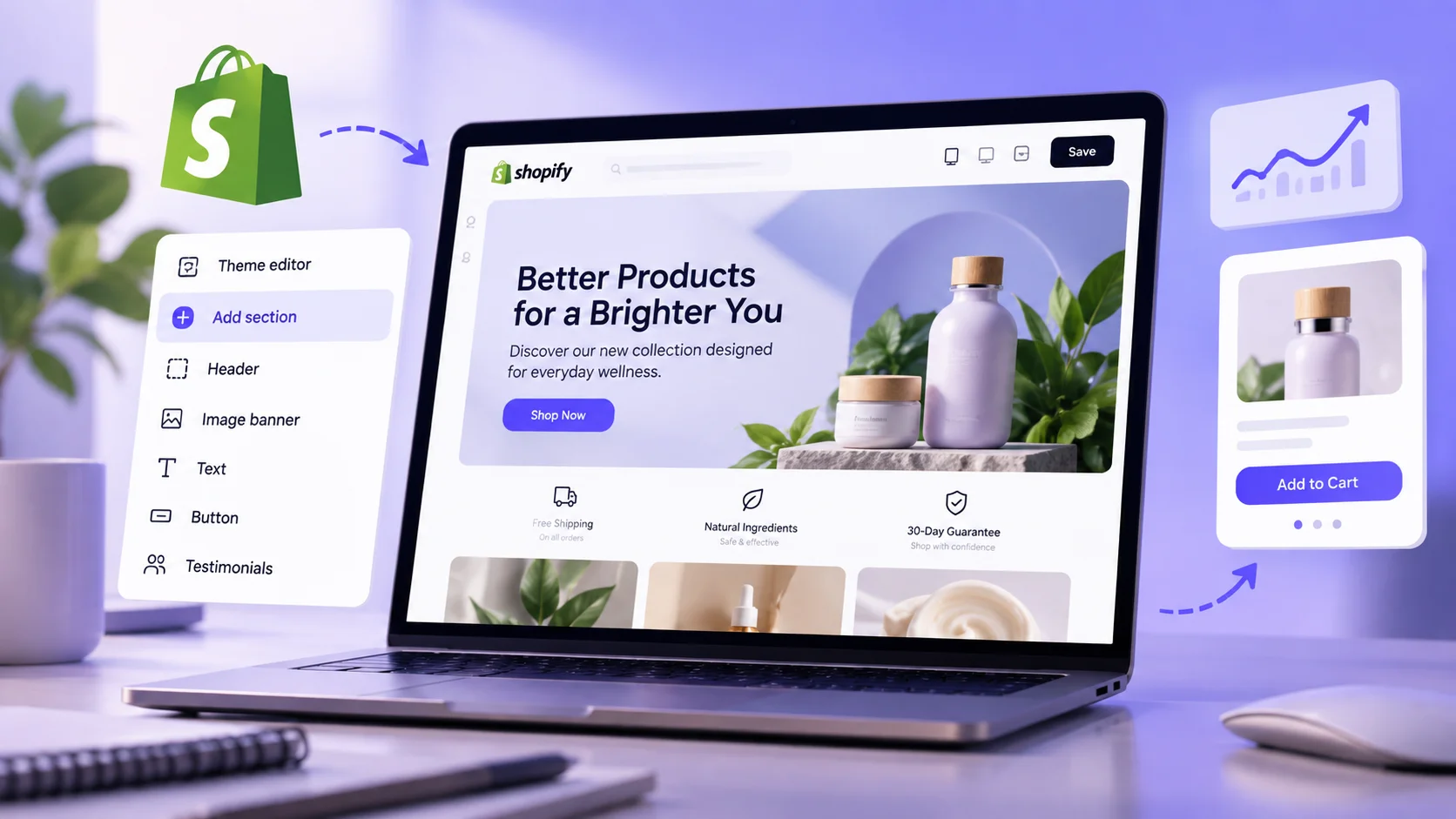
Boost Your Conversion Instantly with Nudgify: Turn your website visitors into customers with real-time Social Proof and FOMO Nudges. Get Started Now →
What Is a Shopify Landing Page?
A Shopify landing page is a dedicated page designed to encourage visitors to take a specific action. That action might be purchasing a product, signing up for an email list, claiming an offer, registering for an event, or starting a free trial.
Unlike a typical store page, a landing page is usually built around a specific audience, campaign, product, or offer. This makes it particularly useful when you are sending visitors from an advertisement, email campaign, social media post, or search result.
Shopify Landing Page vs. Homepage
Your homepage introduces your overall brand and gives visitors multiple paths to explore your store. A landing page is more focused and usually has one primary conversion goal.
For example, an online clothing store might use its homepage to showcase different collections, while a landing page could focus entirely on a new summer collection promoted through Instagram Ads.
Shopify Landing Page vs. Product Page
A product page provides detailed information about a specific product and supports the purchasing process. A landing page can also promote a product, but it is structured around a particular marketing objective.
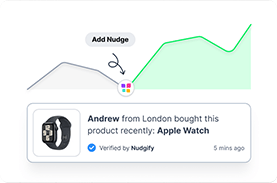
Increase Trust & Sales with Social Proof
Boost trust, engagement, and conversions with Social Proof — tailored for any industry and easy to integrate. Seamlessly manage client access with our team portal.

A product page might include product variants, shipping information, specifications, and related products. A product landing page may instead emphasize the product’s main benefits, customer testimonials, promotional offer, and a focused call to action.
When Should You Create a Shopify Landing Page?
A landing page can be useful whenever you want to create a focused experience for a particular audience or campaign.
- Product launches: Introduce a new product before or during its launch.
- Paid advertising: Send Google, Facebook, or Instagram ad traffic to a page that matches the advertisement.
- Email marketing: Give subscribers a dedicated page for a promotion or offer.
- Seasonal campaigns: Promote holiday sales, limited time offers, or seasonal collections.
- Lead generation: Collect email addresses, registrations, or inquiries.
- Influencer campaigns: Give visitors a focused destination that matches an influencer’s promotion.
- Special offers: Highlight discounts, bundles, free shipping, or other incentives.
How to Choose the Right Way to Create a Shopify Landing Page
There are several ways to create a landing page in Shopify. The best option depends on how much customization you need and whether you want to use additional apps.
| Your needs | Recommended approach |
|---|---|
| Simple campaign landing page | Shopify Pages and Theme Editor |
| Reusable custom layout | Custom Shopify page template |
| Advanced drag and drop design | Shopify landing page builder |
| Highly customized functionality | Custom Liquid, CSS, or JavaScript |
Option 1: Shopify Pages and Theme Editor
This is a practical choice if you need a straightforward landing page and your Shopify theme already provides the sections and layouts you need.
You can create the page in Shopify and customize its appearance using the Theme Editor without having to edit code.
Option 2: A Custom Shopify Page Template
A custom template is useful when you want a specific landing page structure that can be reused across multiple pages.
For example, you might create a dedicated template for promotional campaigns and use it for different seasonal offers.
Option 3: A Shopify Landing Page Builder
A landing page builder can provide additional templates, layouts, and conversion focused elements beyond what your theme offers.
This can be useful when you regularly create advertising campaigns or need more control over page design without working directly with code.
Option 4: Custom Code
Custom Liquid, CSS, or JavaScript can provide greater control over a Shopify landing page. However, coding is usually unnecessary for a basic landing page and can introduce additional maintenance requirements.
How to Create a Landing Page on Shopify
Once you have decided how you want to build the page, you can start creating it. The following process works well for most Shopify landing pages.
Step 1: Define the Landing Page Goal
Start by deciding what you want visitors to do after arriving on the page.
Your primary goal could be to:
- Buy a product
- Add an item to the cart
- Sign up for an email list
- Claim a discount
- Register for an event
- Request more information
- Start a free trial
Keep the primary goal clear throughout the page. If visitors are presented with too many competing actions, they may be less likely to complete the action you actually want.
Step 2: Identify Your Target Audience
A landing page should speak directly to the people you want to reach.
Consider where your visitors are coming from, what problem they are trying to solve, and what information they need before taking action.
If the page is connected to an advertising campaign, make sure the landing page reflects the same message, offer, and expectations established by the advertisement.
Step 3: Create a New Shopify Page
From your Shopify admin, go to Online Store > Pages and select the option to add a new page.
Give the page a descriptive title and add the basic content required for your landing page. You can then assign an appropriate template if your theme provides one.
Step 4: Choose or Create a Landing Page Template
Your template determines the structure and available sections of the page.
If your theme includes a suitable landing page template, you can use it. Otherwise, you can create a custom template if your Shopify theme supports the required customization.
Using a dedicated template is particularly useful when you want landing pages to have a different structure from your standard store pages.
Step 5: Open the Shopify Theme Editor
Go to Online Store > Themes and open the Theme Editor for your active theme.
The Theme Editor allows you to work with sections and blocks to create the visual structure of your page. Depending on your theme, you can customize elements such as images, text, buttons, colors, layouts, and other content.
Step 6: Build the Hero Section
The hero section is usually the first major section visitors see. It should immediately communicate what the page is about.
A strong hero section typically includes:
- A clear headline
- A concise value proposition
- A relevant image or video
- A primary call to action
Avoid vague headlines. Tell visitors what they are getting and why it matters to them.
Step 7: Explain the Benefits
After introducing the offer, explain why visitors should care about it.
Focus on customer benefits rather than simply listing product features. Instead of only saying that a product has a particular feature, explain how that feature helps the customer.
Step 8: Add Product Images or Video
Visual content can help visitors understand the product or offer quickly.
Use clear, relevant images rather than decorative images that do not contribute to the buying decision. If you use video, make sure it supports the page’s main message and does not unnecessarily slow down the page.
Step 9: Add Social Proof
Social proof can help address uncertainty before a customer makes a decision.
Depending on your business, this can include:
- Customer reviews
- Testimonials
- Product ratings
- Customer results
- User generated content
- Case studies
Use genuine customer feedback and keep the information relevant to the offer being promoted.
Step 10: Add a Clear Call to Action
Your call to action should tell visitors exactly what happens when they click it.
Examples include:
- Shop Now
- Get the Offer
- Start Free Trial
- Join the Waitlist
- Get 20% Off
Make the primary CTA visually noticeable and place it where it makes sense throughout the page.
Step 11: Add an FAQ Section
An FAQ section can address common questions that might prevent someone from taking action.
Consider questions about pricing, shipping, returns, product compatibility, delivery times, sizing, or how the offer works.
Step 12: Add a Final CTA
End the page with a clear next step. By this point, visitors have had an opportunity to understand the offer, review the benefits, see social proof, and resolve common questions.
Make the final CTA consistent with the main action used throughout the page.
How to Create a Shopify Landing Page Without Coding
You do not necessarily need coding skills to create a Shopify landing page.
Shopify’s Theme Editor allows merchants to customize pages using visual sections and blocks. The exact options available depend on the theme you are using.
For a simple landing page, you can often build the page using your theme’s existing components. If you need more advanced layouts or conversion elements, a dedicated Shopify landing page builder may be more suitable.
How to Design a High Converting Shopify Landing Page
Good landing page design is not about adding as many elements as possible. It is about helping visitors understand the offer and take the intended action with minimal confusion.
Use One Primary Conversion Goal
Keep the main action consistent throughout the page. Secondary links can be useful, but they should not compete with the primary conversion goal.
Make the Value Proposition Obvious
Visitors should understand what you are offering within seconds of arriving on the page.
Your headline and supporting copy should communicate the product, offer, or benefit clearly without forcing visitors to search for the important information.
Make the Page Easy to Scan
Use short paragraphs, descriptive headings, bullet points, images, and clear sections.
Most visitors will scan the page before deciding whether to read it in detail, so important information should be easy to find.
Use Trust Signals
Reviews, testimonials, guarantees, secure payment information, shipping details, and other relevant trust signals can help reduce uncertainty.
Only include trust signals that are accurate and relevant to your business.
How to Optimize a Shopify Landing Page for SEO
Not every landing page needs to rank in organic search. A page created exclusively for a paid advertising campaign may have a different purpose.
If you want your landing page to attract organic traffic, however, SEO should be considered during the creation process.
Use a Relevant SEO Title
Write a descriptive SEO title that accurately reflects the page’s content and search intent.
Write a Useful Meta Description
Your meta description should summarize what visitors can expect from the page and give them a reason to click from search results.
Create a Clean URL
Keep the URL short, descriptive, and relevant to the page. Avoid unnecessary words, numbers, or complicated URL structures.
Use a Clear H1
Use one primary H1 that clearly communicates the main topic or offer of the page. Organize supporting sections with H2 and H3 headings.
Optimize Images
Use descriptive image file names and relevant alt text where appropriate. Compress large images so they do not unnecessarily affect page performance.
Add Relevant Internal Links
When useful, link to relevant products, collections, guides, or other pages on your Shopify store. Internal links can help visitors discover related content and products.
How to Optimize a Shopify Landing Page for Conversions
SEO can bring visitors to your page, but conversion optimization helps turn those visitors into customers or leads.
Match the Landing Page to the Traffic Source
If an advertisement promises a specific discount or product, the landing page should immediately reinforce that same offer.
This creates a consistent experience from the initial click through to the conversion.
Make Your CTA Easy to Find
Do not make visitors search for the next step. Use clear CTA buttons and repeat the primary action at logical points throughout longer pages.
Reduce Friction
Ask only for information that is necessary for the conversion. Remove unnecessary steps, distracting links, and confusing instructions.
Test Different Versions
You can test different headlines, offers, images, CTA wording, layouts, and other elements to determine what performs better with your audience.
Change one important variable at a time when possible so that you have a clearer understanding of what influenced the result.
How to Track Shopify Landing Page Performance
After publishing your landing page, measure whether it is achieving its intended goal.
Depending on the purpose of the page, useful metrics can include:
- Landing page sessions
- Conversion rate
- Purchases
- Add to cart events
- Email signups
- Form submissions
- CTA clicks
- Traffic sources
Choose metrics that match the actual purpose of your landing page. A lead generation page, for example, should not be judged solely by ecommerce sales.
Common Shopify Landing Page Mistakes
Sending Every Visitor to the Homepage
A homepage gives visitors many choices. For a specific campaign, a dedicated landing page can provide a more focused experience.
Using Too Many Calls to Action
Multiple competing CTAs can make it harder for visitors to understand what they should do next.
Focusing Only on Product Features
Features explain what a product has. Benefits explain why the customer should care.
Ignoring Mobile Users
A landing page that looks good on desktop can still create problems on mobile. Always review the page at different screen sizes before publishing.
Adding Too Many Apps
Every additional app or external element can add complexity to your store. Only add functionality that contributes to the page’s purpose.
Forgetting Conversion Tracking
Without reliable measurement, it is difficult to determine whether your landing page is actually contributing to your marketing goals.
How to Fix a Shopify Landing Page That Is Not Converting
If your landing page receives traffic but produces few conversions, start by identifying where visitors are dropping off.
If the Page Gets Little Traffic
Review your SEO, advertising campaigns, targeting, distribution channels, and search intent.
If Visitors Leave Quickly
Review the headline, offer, page speed, visual hierarchy, and message match between your traffic source and landing page.
If Visitors Engage but Do Not Purchase
Review your product information, pricing, trust signals, CTA, shipping information, and purchase experience.
If Many Visitors Add to Cart but Do Not Purchase
Investigate checkout friction, unexpected costs, shipping options, payment methods, and other factors that may prevent customers from completing the purchase.
Shopify Landing Page Launch Checklist
Before publishing, use this checklist to make sure your landing page is ready.
- Define one primary conversion goal
- Identify the target audience
- Create a clear headline
- Explain the main customer benefit
- Add relevant product visuals
- Include genuine social proof
- Add a clear primary CTA
- Address common customer questions
- Optimize the page for mobile
- Write an SEO title and meta description if organic search matters
- Create a clean URL
- Optimize relevant images
- Test all buttons and links
- Test forms and checkout flows
- Check page performance
- Set up relevant conversion tracking
- Preview the page before publishing
Key Takeaways
- Start with one goal: Decide what you want visitors to do before designing the page.
- Choose the right Shopify method: Use the Theme Editor for straightforward pages, templates for reusable layouts, or a page builder when you need more advanced design control.
- Build around the customer: Explain the value, benefits, proof, and next step clearly.
- Keep the page focused: Avoid unnecessary navigation, competing CTAs, and unrelated content.
- Optimize for mobile: Check the page on smaller screens before publishing.
- Use SEO when appropriate: Optimize the title, meta description, URL, headings, images, and internal links when organic traffic is part of the strategy.
- Track performance: Measure conversions and other actions that directly relate to the page’s goal.
- Keep testing: Use performance data to improve the landing page over time.
People Also Ask
How do I create a landing page on Shopify?
Go to Shopify Admin > Online Store > Pages and create a new page. Choose or create an appropriate page template, then customize the layout and content using the Shopify Theme Editor or a compatible landing page builder.
Can I create a Shopify landing page without coding?
Yes. Shopify’s Theme Editor allows you to create and customize many landing pages using sections and blocks without writing code. If you need more advanced layouts, you can use a Shopify landing page builder.
Does Shopify have a landing page builder?
Shopify provides native tools for creating pages and customizing theme templates. Third party landing page builder apps can provide additional layouts, templates, and design features when the native tools are not enough.
What should a Shopify landing page include?
A Shopify landing page should usually include a clear headline, value proposition, relevant visuals, customer benefits, a primary call to action, social proof, supporting information, and an FAQ or objection handling section when appropriate.
What is the difference between a Shopify landing page and a product page?
A product page provides information and purchasing functionality for a specific product. A landing page is usually created for a particular campaign, audience, offer, or conversion goal and can combine product information with marketing focused content.
How do I optimize a Shopify landing page for SEO?
Use a relevant SEO title, useful meta description, clean URL, clear heading structure, relevant content, descriptive image alt text, internal links, and a mobile friendly page experience. Only optimize for organic search when search traffic is an intended source of visitors.
How can I make my Shopify landing page convert better?
Focus the page on one primary goal, clearly communicate the customer benefit, use relevant social proof, create a noticeable CTA, reduce unnecessary distractions, match the page to the traffic source, and use conversion data to test improvements.
Related Articles

