
 All posts
How to Run a Sale on Shopify
Running a sale on Shopify involves more than lowering a product price. You need to choose the right promotion, configure it correctly, make the offer visible to shoppers, and track whether the campaign actually improves sales and profitability.
Shopify gives merchants several ways to run promotions, including discount codes, automatic discounts, Buy X Get Y offers, free shipping discounts, and sale prices. The best option depends on what you want the promotion to achieve and how you want customers to receive the offer.

Boost Your Conversion Instantly with Nudgify: Turn your website visitors into customers with real-time Social Proof and FOMO Nudges. Get Started Now →
Before You Run a Sale on Shopify
Start by deciding what you want the sale to accomplish. A promotion designed to clear old inventory may need a different structure from one designed to increase average order value or attract first time customers.
Choose Your Sale Goal
Common goals include:
- Clearing excess or seasonal inventory
- Increasing short term revenue
- Attracting new customers
- Increasing average order value
- Promoting specific products or collections
- Encouraging repeat purchases
- Supporting a seasonal marketing campaign
Having a clear goal also makes it easier to decide what to measure after the promotion ends.
Decide Which Products to Put on Sale
You do not always need to discount your entire catalog. Depending on your goal, you can promote a single product, a collection, selected products, or your entire store.
For example, a clearance campaign may focus on slow moving inventory, while a product launch promotion may target a specific collection.
Increase Trust & Sales with Social Proof
Boost trust, engagement, and conversions with Social Proof — tailored for any industry and easy to integrate. Seamlessly manage client access with our team portal.

Choose Your Discount Carefully
Consider your product margins before choosing a discount. A larger discount can make an offer more attractive, but it can also reduce the profit you earn from every order.
Consider percentage discounts, fixed amount discounts, free shipping, Buy X Get Y offers, bundles, and direct sale pricing rather than assuming every promotion should use the same discount structure.
Choose the Right Type of Shopify Sale
Shopify supports several discount methods and discount types. You can create discount codes or automatic discounts, or use sale prices for individual products.
| Sale type | Best for |
|---|---|
| Percentage discount | Storewide, collection, or targeted promotions |
| Fixed amount discount | Specific order values or product promotions |
| Buy X Get Y | Increasing items per order or moving inventory |
| Free shipping | Reducing shipping friction |
| Sale price | Showing a reduced price directly on products |
| Bundle promotion | Encouraging customers to purchase multiple products |
Discount Codes vs. Automatic Discounts
Discount codes work well when you want customers to use a specific promotional code. They are useful for email campaigns, influencer promotions, partnerships, and targeted offers.
Automatic discounts are applied when customers meet the promotion’s requirements. They can be useful for storewide promotions, collection sales, and bulk purchase offers because customers do not need to enter a code at checkout.
Choose the method that creates the simplest customer experience while still giving you the control you need over eligibility and promotion rules.
How to Run a Sale on Shopify
Once you have decided what you want to offer, you can create the promotion from your Shopify admin.
Step 1: Open Discounts in Shopify Admin
From your Shopify admin, go to Discounts and select the option to create a new discount.
Shopify’s discount tools allow you to create different promotion types, including percentage or fixed amount discounts, Buy X Get Y offers, and free shipping discounts.
Step 2: Choose Your Discount Type
Select the discount structure that matches your campaign. For example, choose an amount off discount if you want to offer 20% off selected products, or choose Buy X Get Y if customers need to purchase a specific quantity to receive an additional product or discount.
Step 3: Set the Discount Value
Enter the percentage or fixed amount you want customers to receive. Before saving the promotion, check the resulting selling price against your product costs and target margin.
Step 4: Select the Products or Collections
Decide whether the promotion applies to specific products, collections, or the entire order.
Targeting specific products can help you protect the margins of products that do not need to be discounted while giving customers a clear reason to shop the sale.
Step 5: Set Minimum Purchase Requirements
You can use minimum quantity or minimum purchase requirements when they make sense for your promotion.
For example, a store might offer a discount when customers purchase three eligible products or spend a certain amount. This can help turn a simple discount into an incentive to increase the order size.
Step 6: Choose Customer Eligibility
Decide who can use the promotion. Depending on the discount, you can make an offer available to all customers or restrict it to specific customers or customer segments.
Targeted discounts can be useful for first time customers, returning customers, loyalty campaigns, or other defined audiences.
Step 7: Set the Start and End Date
Set when the promotion should begin and when it should end. Scheduling the promotion helps you coordinate the discount with your email, social media, advertising, and on site messaging.
For a flash sale or seasonal campaign, make sure the promotion’s timing matches every other promotional asset you publish.
Step 8: Review Discount Combinations
Check whether the new promotion can be combined with other discounts. Unexpected combinations can result in customers receiving a larger discount than you intended.
Review your existing promotions before launching a major sale, especially if you regularly run automatic discounts or customer specific offers.
Step 9: Save and Test the Sale
Do not announce the promotion until you have tested it. Add eligible and ineligible products to a cart and confirm that the correct discount is applied.
Also test the experience on mobile and desktop so you can catch problems before customers encounter them.
How to Put Products on Sale Without a Discount Code
If you want customers to see a lower product price directly on your storefront, you can use Shopify’s Price and Compare-at price fields instead of creating a discount code.
How Shopify Sale Pricing Works
The Price is the amount the customer pays. The Compare-at price can show the original price when it is higher than the current price.
For example, if a product originally sells for $50 and you reduce it to $35, you can set the Price to $35 and the Compare-at price to $50.
Your theme determines how sale pricing appears on the storefront. Depending on the theme, customers may see the original price, sale price, a sale badge, or percentage savings.
When to Use Sale Pricing Instead of a Discount
Direct sale pricing is useful when you want the reduced price to be visible on product and collection pages without requiring customers to enter a code.
A discount code may be more appropriate when you want to distribute a promotion through an email, influencer, affiliate, or other targeted campaign.
Remember that sale pricing and discounts are different Shopify features. A sale price changes the product’s displayed price, while a discount is applied according to the rules configured for the promotion.
How to Make Your Shopify Sale Visible
Creating a promotion does not guarantee that customers will notice it. Make the offer easy to find throughout the shopping experience.
Create a Sale Collection
Create a dedicated collection for products included in the promotion. A collection such as Sale, Clearance, or 20% Off gives shoppers a clear place to browse discounted products.
Add Sale Messaging to Product Pages
Make the offer easy to understand near the product price and purchase button. Clearly communicate the current price, original price when appropriate, promotion requirements, and sale deadline.
Use an Announcement Bar
An announcement bar can communicate the promotion across your storefront. Keep the message short and include the most important information, such as the discount and expiration date.
Create a Sale Landing Page
For larger campaigns, create a dedicated landing page that brings together the products included in the promotion.
This gives customers a focused shopping destination and makes it easier to connect your email, social media, and advertising campaigns to the sale.
How to Create Urgency for a Shopify Sale
Discounts are only one part of a successful promotion. A clear reason to act now can help customers understand why they should purchase during the campaign rather than postpone the decision.
Use a Real Sale Deadline
Give customers a specific end date when the promotion genuinely ends. Clear deadlines are easier to understand than vague messages such as “sale ending soon.”
Use a Countdown Timer
A countdown timer can make a time limited promotion more noticeable, particularly for flash sales and short campaigns.
Only use countdown messaging when it reflects a genuine deadline. Avoid resetting the timer simply to create artificial urgency.
Use Social Proof
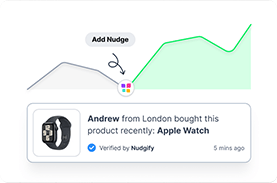
Social proof can complement a sale by showing customer activity, reviews, or recent purchases. These elements can help shoppers understand that other customers are engaging with the products.
For example, a recent purchase notification can reinforce activity around a product while the sale is running.
Use Scarcity Carefully
Inventory based messaging can be useful when stock is genuinely limited. Do not claim that an item is almost sold out unless the inventory situation supports that message.
How to Promote Your Shopify Sale
Your promotional strategy should match the audience you want to reach and the type of sale you are running.
Email Marketing
Email can be used to announce the sale, remind customers about the promotion, and send a final reminder before the campaign ends.
For targeted campaigns, include the appropriate discount code or promotional link so customers can access the offer easily.
Social Media
Use your social channels to explain what is on sale, how long the promotion lasts, and where customers can shop.
Product focused content can work particularly well when the promotion is limited to selected products or collections.
Paid Advertising
For paid campaigns, make sure the landing page, advertising message, and actual Shopify promotion match. A customer who clicks an ad promising one offer should see the same offer when they reach your store.
On Site Promotion
Use your storefront to reinforce the campaign through announcement bars, banners, sale collections, product badges, and other relevant promotional elements.
How to Test Your Shopify Sale Before Launch
A sale should be tested from the customer’s perspective before you promote it publicly.
Test the Discount
Check that:
- The correct products qualify
- The discount value is correct
- Minimum purchase requirements work
- Customer eligibility works as intended
- Discount combinations behave correctly
- The promotion starts and ends at the intended time
Test the Customer Journey
Go through the complete shopping process:
Product page → Cart → Checkout → Order confirmation
Make sure customers can understand the offer and see the expected pricing throughout the process.
Test on Mobile
Check your sale pages and promotional messaging on mobile devices. Make sure sale prices, buttons, banners, countdowns, and promotional text remain easy to read and use.
How to Track Shopify Sale Performance
Do not judge a promotion only by the number of orders it generates. A successful sale should be evaluated against its original goal and the cost of the promotion.
Revenue
Measure the revenue generated during the campaign and compare it with the period before the sale when appropriate.
Conversion Rate
Look at whether a larger share of visitors completed a purchase during the promotion.
Average Order Value
Check whether customers purchased more items or spent more per order during the campaign.
Discount Usage
Track how many customers used the promotion. This can help you understand whether the offer was reaching the intended audience.
Profitability
Revenue does not equal profit. Consider your product margins, discount cost, advertising costs, shipping costs, and other campaign expenses when evaluating the result.
Common Shopify Sale Mistakes to Avoid
Discounting Everything
A storewide discount is not always necessary. Limiting the promotion to selected products or collections can help you control the cost of the campaign.
Running a Sale Without a Clear End Date
A promotion with no defined deadline can become difficult to manage and may lose its sense of urgency. Set a clear end date when appropriate and communicate it consistently.
Forgetting to Test the Discount
A small configuration mistake can prevent an eligible customer from receiving the intended offer. Always test the promotion before publishing it.
Making the Sale Difficult to Find
If customers have to search for the promotion, you are adding unnecessary friction. Use clear sale messaging across relevant storefront pages and marketing channels.
Offering Discounts That Hurt Your Margins
Before launching a promotion, calculate what the reduced selling price means for your margins. A sale should support a business objective rather than simply reduce prices.
Forgetting to Remove Expired Sale Messaging
When the promotion ends, remove expired banners, countdowns, sale announcements, and other campaign messaging. Leaving old promotional content on your store can create confusion.
What to Do After Your Shopify Sale Ends
Your work is not finished when the promotion ends. The post sale period is when you can turn campaign data into better decisions for future promotions.
End the Promotion
Deactivate or allow scheduled discounts to expire as appropriate. Check your storefront to make sure customers can no longer access an expired offer unintentionally.
Remove Expired Sale Messaging
Remove banners, announcement bars, countdowns, and other promotional elements that are no longer accurate.
Review the Results
Compare your results with the original goal. Look at revenue, conversion rate, average order value, discount usage, inventory movement, and profitability.
Identify Your Best Performing Products
Look for products that attracted the most attention and generated the most orders during the campaign. These insights can help you decide what to promote in future sales.
Follow Up With New Customers
If the campaign attracted first time buyers, consider how you will encourage them to return. Follow up with useful product information, customer service, relevant recommendations, or future offers that fit your marketing strategy.
Shopify Sale Ideas to Try
Flash Sale
Run a promotion for a short, clearly defined period. Flash sales work best when customers understand exactly what is included and when the offer ends.
Seasonal Sale
Connect your promotion to a relevant shopping season or event and give customers a clear reason to shop now.
Clearance Sale
Use discounts to help move products that are seasonal, discontinued, or taking up valuable inventory space.
Buy One Get One Offer
Use a Buy X Get Y promotion when you want customers to purchase a qualifying product or quantity to receive another product or discount. Shopify supports Buy X Get Y promotions through discount codes and automatic discounts.
Free Shipping Promotion
Free shipping can be offered through a discount code or automatic discount, and you can use minimum purchase requirements when appropriate.
Bundle Discount
Encourage customers to purchase related products together instead of discounting only one item. This can be particularly useful when the products naturally complement one another.
First Time Customer Offer
Create an offer specifically for customers making their first purchase. This can help turn new visitors into customers while keeping the promotion targeted.
VIP Customer Sale
Give returning or high value customers early access or a targeted promotion. Shopify supports customer eligibility rules and customer segments for discounts.
Shopify Sale Checklist
Use this checklist before, during, and after your promotion.
| Stage | Checklist |
|---|---|
| Before launch | Define your goal, choose products, set the discount, configure eligibility, set dates, and prepare promotional messaging. |
| Before launch | Test the discount, product pages, cart, checkout, mobile experience, and promotional links. |
| During the sale | Monitor orders, conversion rate, average order value, inventory, discount usage, and customer questions. |
| After the sale | End the promotion, remove expired messaging, review performance, and document what you learned. |
Key Takeaways
- Shopify lets you run promotions using discount codes, automatic discounts, sale prices, Buy X Get Y offers, and free shipping discounts.
- Choose the promotion based on your business goal, products, margins, and customer experience.
- Use sale pricing when you want the reduced price displayed directly on eligible products, and use discount codes or automatic discounts when you need promotional rules or targeted offers.
- Make your sale easy to find through sale collections, product pages, announcement bars, landing pages, email, and social media.
- Use genuine urgency, deadlines, inventory limitations, and social proof to help customers understand why they should act during the promotion.
- Always test the complete product page, cart, and checkout experience before launching your campaign.
- Measure more than revenue. Review conversion rate, average order value, discount usage, inventory movement, and profitability.
- After the promotion ends, remove expired messaging and use the results to improve your next Shopify sale.
People Also Ask
How do I run a sale on Shopify?
To run a sale on Shopify, go to Discounts in your Shopify admin, create the appropriate discount, choose the eligible products or customers, set the promotion rules and dates, then save and test the offer before promoting it.
How do I put a product on sale on Shopify?
Open the product in Shopify admin and set a lower Price than the original amount. You can use the Compare-at price field to display the original price alongside the reduced price when supported by your theme.
Can I schedule a sale on Shopify?
Yes. Shopify discounts can be configured with start and end dates, allowing you to schedule promotions instead of manually activating and stopping them.
What is the difference between a Shopify discount code and an automatic discount?
A discount code requires the customer to enter or apply a code, while an automatic discount can apply when the customer meets the promotion’s eligibility requirements.
How do I promote a sale on Shopify?
You can promote a Shopify sale through your homepage, announcement bar, sale collection, product pages, email marketing, social media, and paid advertising. Keep the offer, eligibility, and expiration date consistent across each channel.
How long should a Shopify sale run?
There is no universal sale duration. The appropriate length depends on your promotion type, inventory, audience, season, margins, and campaign goal. Set a clear timeframe that fits the reason for the promotion.
Can I offer free shipping as a Shopify sale?
Yes. Shopify supports free shipping discount codes and automatic free shipping discounts. You can also set conditions such as a minimum purchase amount when appropriate.
Can I run a Buy One Get One sale on Shopify?
Yes. Shopify supports Buy X Get Y promotions, which can be configured as discount codes or automatic discounts. The promotion can require a specific quantity or purchase amount before the customer receives the offer.
Related Articles

