
 All posts
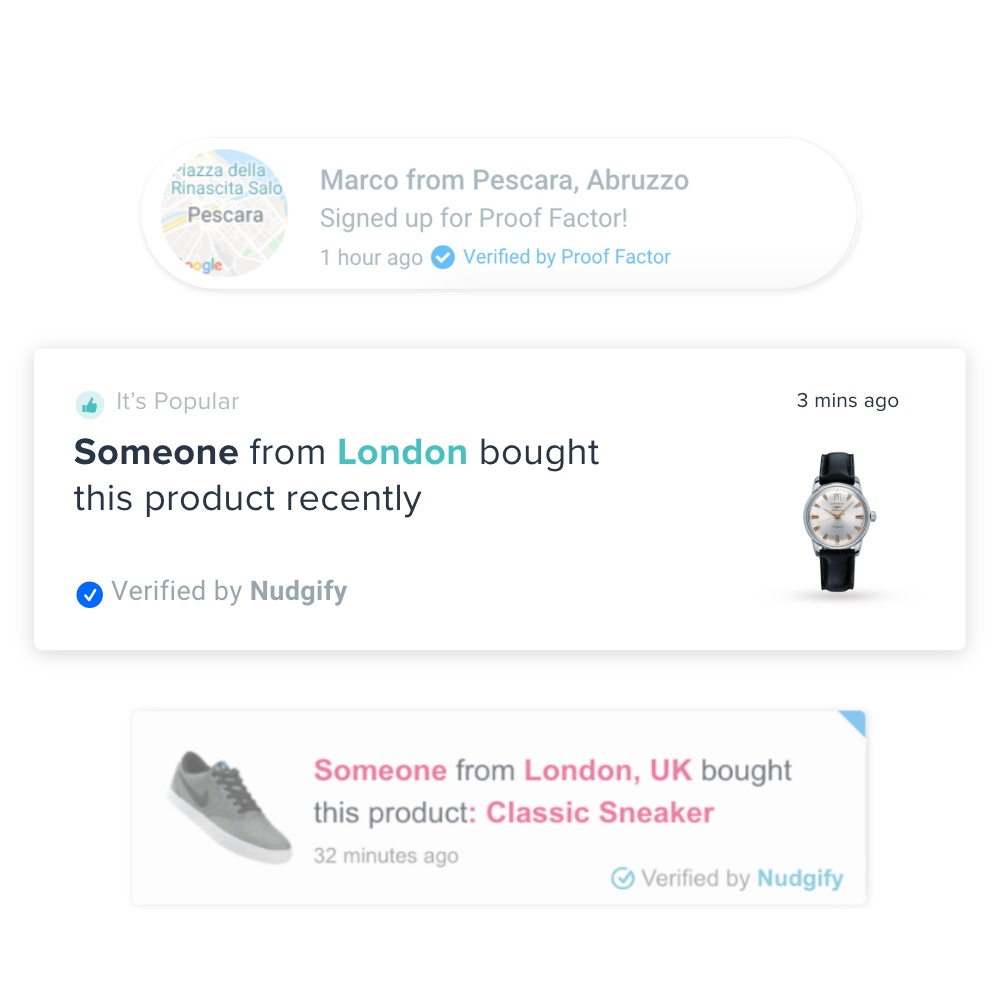
A sales notification app shows your visitors what other shoppers are doing on your store: a small popup saying someone in Leeds just bought the black hoodie, or that 14 people are viewing this product. It is social proof built from your own order data, shown to people who have not bought yet.
This page compares nine Shopify sales notification apps. The rule is simple and checkable. We shortlisted apps whose Shopify App Store listing has a sales popup as a core feature, published pricing, and at least 100 reviews on 16 October 2026, then ordered them by review count, highest first. Review count is not quality, but it is a public proxy for how many stores have used an app long enough to say something about it.
Nudgify is our own app. It has 61 reviews, below the cut, and is included anyway because this is our site. It is ranked by the same rule as everything else, which puts it last.
Boost Your Conversion Instantly with Nudgify: Turn your website visitors into customers with real-time Social Proof and FOMO Nudges. Get Started Now →
Since the last version of this list, ten apps were dropped: two are gone from the App Store, two now do something else (reviews, loyalty), one is marked “not currently available”, and five are live but below the threshold. Five are new.
What a sales notification app does
A sales notification app is a Shopify app that reads your store’s live activity, mainly orders, and displays it to other visitors as small, timed popups. The popups are usually anchored to a corner of the screen, appear for a few seconds, and need no action from the shopper. They are a soft nudge, not a form or a gate.
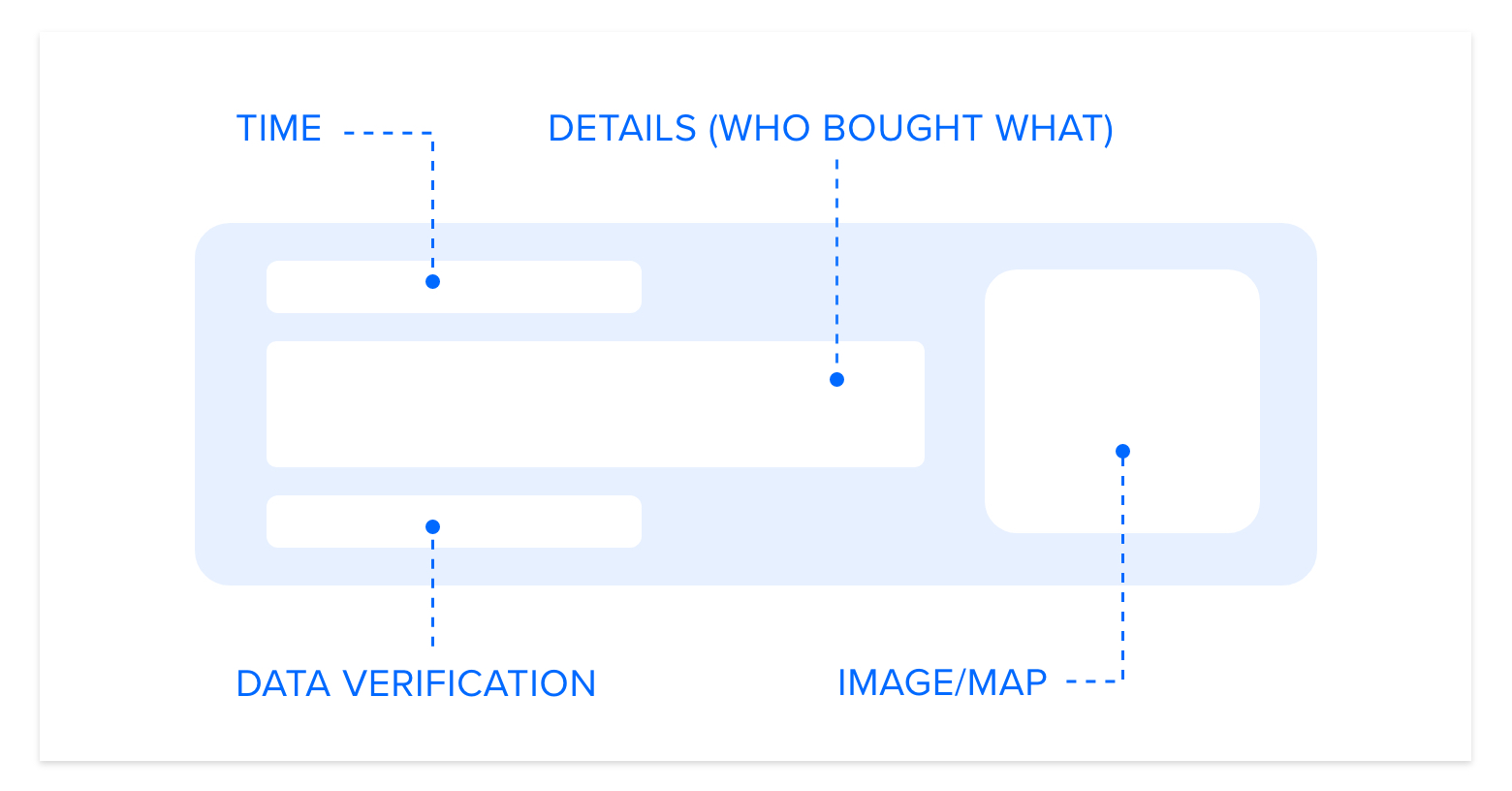
Most of the apps on this page offer four notification types:
- Recent sales. “Someone in Austin bought X, 12 minutes ago.” The classic recent sales popup app feature, built from your orders.
- Live activity. How many people are viewing a product or the store right now, or how many added it to their cart.
- Stock and urgency. Low stock counts, items selling fast, countdown bars.
- Reviews. A recent rating pulled from Judge.me, Google Reviews or similar, shown as a popup rather than a widget.
On a Shopify storefront they appear on product pages, collections and the cart. Some apps also inject an inline line of text on the product page (“23 sold in the last 24 hours”) instead of, or as well as, a floating popup. The app runs as a script in your theme, so the only setup is installing it, picking which notifications to show, and choosing where and how often.
Increase Trust & Sales with Social Proof
Boost trust, engagement, and conversions with Social Proof — tailored for any industry and easy to integrate. Seamlessly manage client access with our team portal.

Real orders vs fake notifications
The question people actually search for is whether these popups are real. Sometimes they are not. Several apps let you type in names, cities and products, set a schedule, and show “Jessica in Denver just bought this” with no order behind it. These are called custom, simulated or manual notifications, and you need to understand them before you install anything.
Why do apps offer them? A brand new store has no orders, so a real-data popup shows nothing, and a store that looks busy on day one is an easy sell. Listings are usually open about it if you read closely. One app on the Shopify App Store, ViNext Sale Notification, says plainly that it shows “recent and simulated orders” (listing, checked 16 October 2026).
The risks sit with the merchant, not the developer:
- Shoppers notice. The same five names cycling, a purchase of a product that is out of stock, a sale at 3am from a city you do not ship to. One spotted fake undoes the trust the popup was meant to build.
- It can be illegal where you sell. In the UK, the Digital Markets, Competition and Consumers Act 2024 bans, among other practices, falsely stating that a product is only available for a limited time in order to push an immediate decision (Schedule 20, paragraph 7, in force since 6 April 2025). Showing sales that did not happen is a false statement about demand. Other countries have their own rules on misleading practices. This is not legal advice; check the rules where you sell.
- Shopify holds you responsible. Its Terms of Service make the merchant, not the app, responsible for complying with consumer protection law. More in the FAQ.
How to tell from a listing whether an app uses real order data:
- Search the listing for “simulated”, “manual”, “sample” or “custom orders”. If it is there, the app can fabricate.
- Look for the opposite claim. SalesPop and Zoomifi both state that popups come only from real store activity.
- Check whether custom notifications are labelled differently from data-driven ones. Nudgify marks data-driven nudges “Verified by Nudgify” and merchant-written ones “Powered by Nudgify”, so a visitor can tell which is which.
- Read the data access section of the listing. An app that does not request access to your orders cannot be showing real ones.
We have written separately about why fake social proof costs more than it earns. The short version: the only sales popup worth showing is one you could defend to the customer who saw it.
What happened to Beeketing
If you are wondering why Beeketing’s Sales Pop, once the most installed app in this category, is not on this list: Shopify removed every Beeketing app from the App Store on 27 August 2019, citing “multiple violations of our Partner Program Agreement, including inadequate support for merchants and abuse of our marketing tools” (Shopify Community notice). Stores that depended on them lost their popups overnight. It is the reason this list only includes apps with a live listing and published pricing.
Comparison table
All nine apps, in page order. “Real order data?” records what each listing says about where notifications come from. “Free plan” means a plan with no end date, not a trial. “Paid from” is the cheapest paid monthly plan. Review counts and prices were checked on 16 October 2026; click the app name for the current listing.
| App | Shopify reviews | Free plan | Paid from | Real order data? | Other notification types |
|---|---|---|---|---|---|
| SP Sales Pop up Social Proof (Care Cart) | 1,024 | Yes, up to 500 visitors a month, then usage charges | $6.99/mo | Yes, recent orders. Listing does not mention manual entries. | Visitor counter, sold counter, low stock bar, countdown, trust badges, shipping bar |
| SalesPop: Order & Sales Popup (Sales POP!) | 913 | Yes, 200 sessions a month | $29/mo | Yes. Listing states “real activity only, no fake countdowns or fake urgency”. | Add-to-cart, reviews, discounts, announcements |
| Qikify Sales Pop up & Proof (Qikify Design) | 598 | Yes, 500 visitors a month | $6.99/mo | Yes, recent purchases. Custom notifications also listed. | Visitor counter, sold count, countdown, email and exit popups, promo bars |
| Sales Popup Autoketing (Autoketing) | 553 | Partly: 1,000 popup views, once | $9.99/mo | Yes, recent orders and add-to-carts. Custom notifications also listed. | Stock countdown, countdown timer, coupon wheel, quick view |
| ToastiBar Sales Popup & Proof (MakeProSimp) | 541 | Yes, 5,000 impressions a month after a 14-day unlimited period | $6.99/mo | Yes, “real-time cart, visitor, review, low-stock, and sales pop up”. Custom notifications also listed. | Cart, visitor, review, low stock, roundup popups, countdown bars |
| FOMO Sales Pop Up Social Proof (SnapSell / WizzCommerce) | 188 | Yes, the app is free with no paid plans listed | None | Yes, “real-time sales pop-ups”. Custom notifications also listed. | Visitor counter, review popup, low stock, discount box, flashing tab, cart alerts |
| Fomo: Social Proof Sales Popup (Fomo) | 153 | Yes, 1,000 notifications a month, one site | $25/mo | Yes, recent purchases plus events from 100+ integrations. Custom notifications also listed. | Visitor count, add-to-cart, product reviews, low stock, inline product page text, browser push |
| Zoomifi Sales Popups (Zoomifi) | 119 | Yes, one popup type, no impression limit | $4.99/mo | Yes. Listing states popups are “built only from real store activity”. | Add-to-cart, order count for a period |
| Nudgify Social Proof Sales Pop (Nudgify, our app) | 61 | Yes, 1,000 impressions a month | $9/mo | Yes, Shopify orders. Custom nudges carry a different label from data-driven ones. | Visitor counter, add-to-cart, low stock, order soon, selling fast, discounts, reviews |
The apps
1. SP Sales Pop up Social Proof (Care Cart)
Care Cart’s app has the most reviews of any sales popup app on the Shopify App Store (1,024 on 16 October 2026). It is less a single popup and more a bundle of urgency tools: recent sales notifications sit alongside a low stock countdown bar, a countdown timer, a product visitor counter, a sold counter, trust badges, a free shipping bar, an announcement bar, a sticky cart drawer and quick view. The app itself is available in nine languages.
It suits a store that wants all of the usual conversion widgets from one install and does not mind that several of them are about urgency rather than proof.
The honest limitation is the free tier. It is free up to 500 visitors a month, then switches to usage-based charges, so any store with real traffic is effectively on a paid plan. The paid plans themselves are priced by your Shopify plan tier, not by what you use: Basic $6.99, Grow $14.99 and Advanced $24.99 a month, with analytics only on Advanced.
SP Sales Pop up Social Proof on the Shopify App Store
2. SalesPop: Order & Sales Popup (Sales POP!)
This is the app that used to be listed as CartKit’s Sales Pop; it lives at the same App Store address and has 913 reviews. The pitch is unusually direct for this category: “honest by default, real activity only, no fake countdowns or fake urgency.” Pops are built from orders and cart activity, with targeting and display rules, geolocation, A/B testing and analytics in the feature list.
It suits a store that already has steady orders and wants the popups to be defensible, with no option to fabricate.
The limitation is price. Plans are metered by sessions: the free plan covers 200 sessions a month, which is a few days of traffic for most live stores, and the Starter plan is $29 a month for 2,000 sessions. Pro is $79 for 10,000 and Premium $129 for 30,000. Cheaper apps on this list give you unlimited impressions for under $10.
SalesPop on the Shopify App Store
3. Qikify Sales Pop up & Proof (Qikify Design)
Qikify’s app (598 reviews) combines recent purchase popups, a visitor counter and a sold count with a second set of tools that have nothing to do with social proof: newsletter, discount and exit-intent popups, and promotional bars with cart countdowns. If you were going to install a sales pop and an email popup anyway, it does both.
It suits a small store that wants one app for list building and social proof and is on a Basic Shopify plan.
The limitation is that the useful numbers are locked behind the mid tier. The free plan covers 500 visitors a month (about 5,000 impressions). Basic is $6.99 a month for unlimited visitors, but analytics only arrive on Professional at $12.99, and Advanced is $19.99. As with Care Cart, which tier you can buy depends on your Shopify plan, so the price follows your Shopify tier rather than how much you use the app.
Qikify Sales Pop up & Proof on the Shopify App Store
4. Sales Popup Autoketing (Autoketing)
Autoketing’s app (553 reviews) shows notifications for recent orders and products added to cart, and adds a quick view mode so a shopper can open the product from the popup without leaving the page. Stock countdown, a countdown timer, a coupon wheel and a cart booster are bundled in.
It suits a store that wants a cheap, simple popup and likes the quick view idea.
The limitation is that the free plan is not really a plan. It gives you 1,000 popup views once, not per month, after which you need Basic at $9.99 or Pro at $14.99 a month. The listing is in English only, and the newest review we could find on it was dated December 2025, which is older than for any other app here. It is live and installable, but check that the developer is still active before building on it.
Sales Popup Autoketing on the Shopify App Store
5. ToastiBar Sales Popup & Proof (MakeProSimp)
ToastiBar (541 reviews) covers the widest range of notification types in the under-$10 group: sales, cart, visitor, review, low stock and “roundup” popups, plus countdown timer bars for products, carts and landing pages. It pulls reviews from Judge.me and Fera, targets by geolocation, and claims support for 75 or more languages. It also has an AI setup wizard and copy generator.
It suits a store selling in several countries that wants popups translated and targeted without doing the work by hand.
The limitation is how the tiers are cut. The free plan is unlimited for 14 days, then 5,000 impressions a month with ToastiBar branding on every popup. Basic at $6.99 removes the branding, but analytics, A/B testing and the AI tools only arrive on the $12.99 plan, and Advanced is $19.99. Like Care Cart and Qikify, the tier you are offered depends on your Shopify plan.
ToastiBar on the Shopify App Store
6. FOMO Sales Pop Up Social Proof (SnapSell / WizzCommerce)
Not to be confused with Fomo, the company, below. This app from WizzCommerce (188 reviews) is free, with no paid plans on its listing at all. It offers recent order popups, a live visitor counter, review popups with CSV import and Judge.me sync, low stock counters, a discount gamification box, a flashing browser tab for abandoned carts and a “comeback” alert.
It suits a store on a zero budget that still wants more than a bare sales pop, especially if it already uses WizzCommerce’s other apps, which it integrates with.
The limitation is the flip side of free. There are no published limits, no stated support tier and no pricing page to hold the developer to. WizzCommerce sells bundles, upsells and flash sale apps; this one is the free front door. That is a reasonable business model, but it means the roadmap follows the paid products, and you should not assume unlimited impressions just because the listing does not mention a cap.
FOMO Sales Pop Up Social Proof on the Shopify App Store
7. Fomo: Social Proof Sales Popup (Fomo)
Fomo (153 reviews on Shopify) is one of the original social proof platforms and, with Nudgify, one of only two apps here built to run on more than one site. It shows recent purchases, add-to-cart events, visitor counts and reviews as popups, inline product page messages or browser push notifications, with over 100 integrations (Klaviyo, Mailchimp, Google Analytics, Zapier, webhooks), 27 or more languages, and analytics that attribute revenue to each notification type.
It suits a brand running Shopify alongside other sites or a lot of marketing tooling, where the integrations matter more than the price.
The limitation is cost. The free plan allows 1,000 notifications a month on one site. Starter is $25 a month for 8,000 notifications, Business $75 for 40,000 and Pro $149 for 300,000. That is the highest entry price on this page, and several of the features that justify it, such as review and email integrations, need the other tools to be set up first.
8. Zoomifi Sales Popups (Zoomifi)
Zoomifi (119 reviews) is the narrowest app on this list, on purpose. It has three popup types: recent orders, add-to-cart, and an order count for a period you choose. Everything comes from real store activity, the listing says so twice, and it is switched on from the theme editor with no code. The free plan has no visitor, session or impression limit and no Zoomifi branding.
It suits a store that wants a real-orders-only popup, nothing else, and does not want to pay for impressions.
The limitation is the scope. There are no visitor counters, reviews, low stock or urgency notifications, so if you have no orders it has nothing to show. The free plan shows one popup type with anonymous buyer names only; Starter at $4.99 a month adds a second type, first names and 16 templates; Standard at $9.99 adds the third type, analytics and the ability to hide names on specific products. English only.
Zoomifi Sales Popups on the Shopify App Store
9. Nudgify Social Proof Sales Pop (Nudgify)
Nudgify is our app, and it has the fewest Shopify reviews of the nine (61), which is why it sits last. What it does differently is treat the sales pop as one of a set of “nudges” that share the same data: recent purchases and sales popups, a live visitor counter, add-to-cart, low stock, order soon, selling fast and discount nudges, and review nudges pulled from Google, Judge.me, Reviews.io, Stamped or Trustpilot. It runs inside the Shopify admin, translates into 32 or more languages and can show different nudges by visitor location.
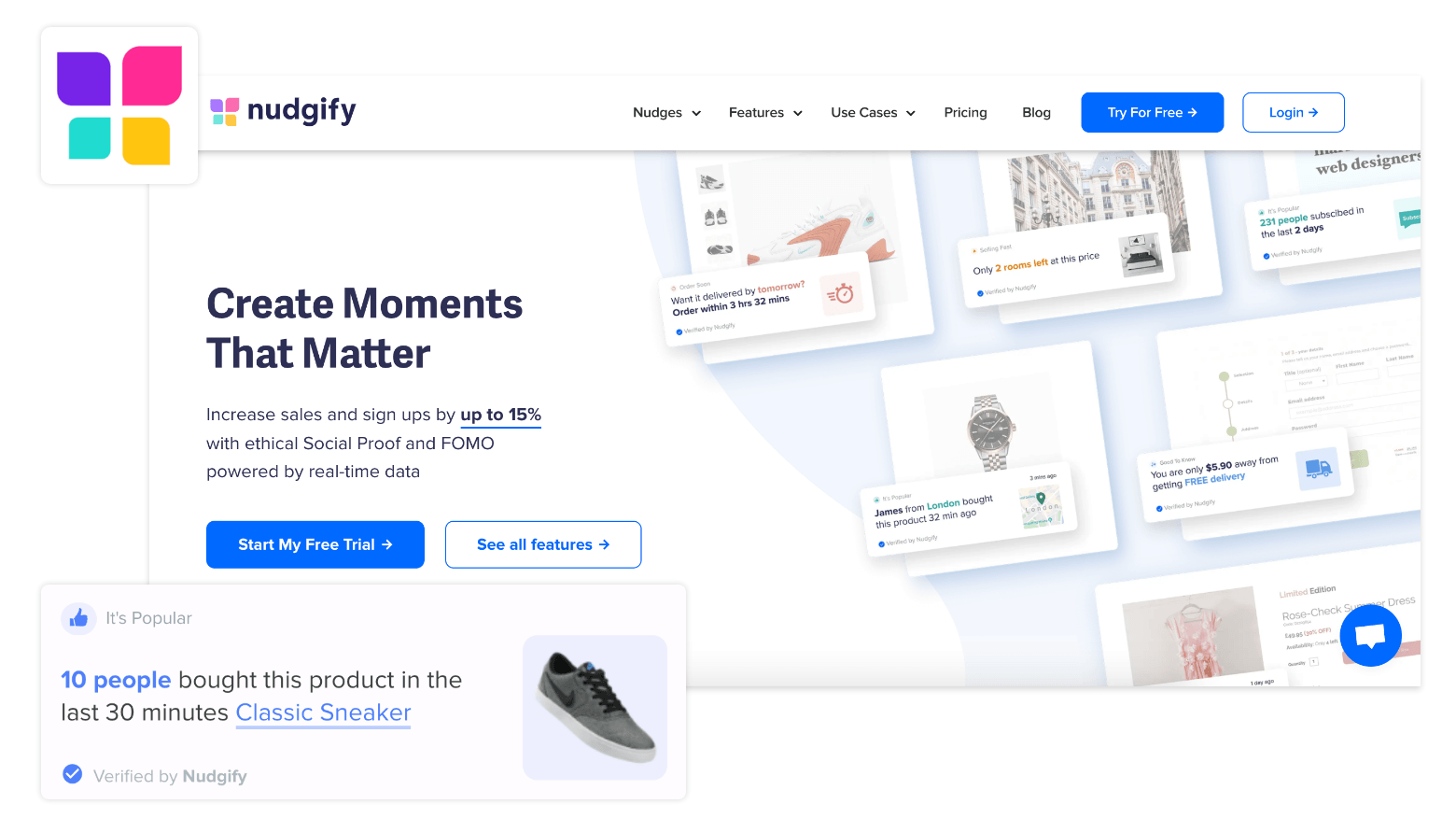
It suits a store that wants a sales pop today and expects to add stock, urgency and review notifications later without a second app. Data-driven nudges are labelled “Verified by Nudgify” and merchant-written ones “Powered by Nudgify”, so the two are never confused.
The limitation: the branding stays on your popups until the $49 plan. Pricing is a free plan with 1,000 impressions a month, then Lite at $9 (10,000 impressions), Plus at $29 (90,000) and Genius at $49 (300,000, branding removed), each with a 7-day trial. On the Nudgify site, paid plans start at $9 a month.
Nudgify on the Shopify App Store
How to choose
Five checks, in the order they usually decide it:
- Real or synthetic data. Decide this first. If the listing mentions simulated or manual orders and you have no plan to use them, pick an app that cannot fabricate, or one that labels custom notifications so visitors can tell. If you have no orders yet, choose an app with visitor, stock or review notifications rather than faking sales.
- Page speed. Every one of these apps adds a script. The only honest test is to run PageSpeed Insights on a product page before and after installing. Uninstall cleanly if the score drops.
- Platform coverage. If Shopify is your only store, any of the nine will do. If you also run a WooCommerce or Wix site, Fomo (one website on the free plan, unlimited from Business up) and Nudgify (unlimited websites on every plan) are the two here built for more than one site. The other seven listings do not mention other platforms.
- Customisation depth. Position, timing, which pages, which products, anonymised names, translations. The cheaper apps cover the basics; look at whether names can be hidden per product (Zoomifi) and how many languages the popups come in (ToastiBar 75+, Nudgify 32+, Fomo 27+, per their listings) if you need either.
- Is the free tier a plan or a trial? Read the limit. 1,000 impressions or 200 sessions runs out within days on a trading store. A one-off allowance (Autoketing) is a trial. A free plan with no impression cap (Zoomifi, WizzCommerce’s FOMO) is a genuine free plan, with the trade-offs noted above.
If what you want is just the classic popup and nothing else, our separate page on sales pop for Shopify goes deeper on setup and placement.
FAQ
Do sales notification apps actually increase sales?
Sometimes, and nobody has a reliable public number. Vendors quote their own uplift figures; treat them as marketing. The effect depends on how many real orders you have to show, what you sell, and how much trust the visitor already had. Measure it yourself: note your conversion rate for two weeks before installing, run the app for two weeks, and compare. Fomo, SalesPop, ToastiBar and Nudgify include analytics that attribute clicks or revenue to each notification, which helps.
Are fake sales popups against Shopify’s rules?
Shopify’s public App Store requirements do not name fake sales popups (we checked the current version on 16 October 2026), which is why apps offering simulated orders are still listed. But Shopify’s Terms of Service put responsibility for consumer protection law on the merchant, and Shopify has removed an entire developer before, as the Beeketing case shows. The rules that bite are consumer law in the countries you sell to, not Shopify’s.
Will a sales notification app slow my store down?
A little, and how much depends on the app. Each one adds JavaScript to every page; good ones load it after the page has rendered. Measure rather than guess: run Google PageSpeed Insights on a product page, install the app, run it again. If the mobile score drops by more than a few points, try another app. Check that uninstalling removes the script, because leftover code from removed apps is a common cause of slow Shopify themes.
Can I use one before I have any sales?
Yes, but not for sales popups. With zero orders, real-data apps like SalesPop and Zoomifi show nothing, which is correct. Use the other notification types: a live visitor counter, add-to-cart activity, low stock on a product that genuinely is low, or reviews if you have any. Once orders start, switch the sales popup on. Do not fill the gap with simulated orders.
Which app, in one line each
For a store that only wants real-order popups and does not want to pay for impressions, Zoomifi. For a bundle of urgency widgets on a small store, Care Cart, Qikify or ToastiBar, whichever your Shopify plan tier prices lowest. For a brand running several sites with a marketing stack to connect, Fomo. For a store that wants the sales pop plus stock, urgency and review nudges from one app with clear labelling of what is real, Nudgify. For honest popups with no fabrication option and a budget to match, SalesPop.

